
Yes, in many cases you can top up Bigo Live Diamonds without a credit card. Officially, Bigo Live supports alternatives such as PayPal, Apple Pay, Google Pay, debit cards, prepaid Visa/Mastercard cards, and some mobile wallets, depending on your country, device, and billing region.
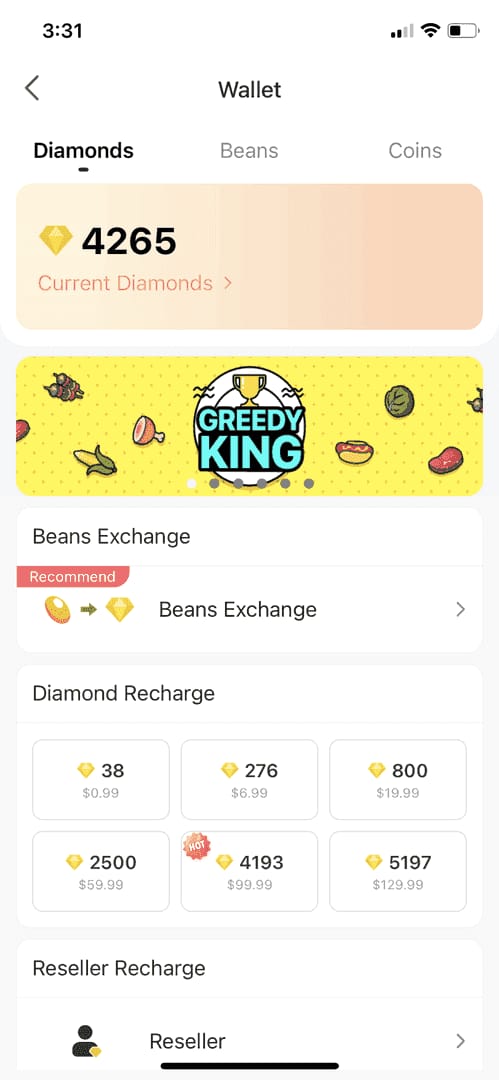
The catch is simple: what you see at checkout is controlled by platform and region. If you want Bigo Live Diamonds top up without credit card, check your available methods inside Me > Wallet > Recharge first, then verify your Bigo ID and billing region before you pay.
Why can you top up Bigo Live Diamonds without a credit card in some cases but not others?
Because Bigo Live checkout is tied to your platform, country, and account billing region. Officially, payment methods vary by iOS, Android, web, and by the country linked to your app store or payment profile.
From reviewing recharge support cases, the most common blocker isn't "no credit card." It's a region mismatch. Users commonly report error 4301 when the Bigo account region and payment country don't line up. In practice, that means a valid PayPal or debit card can still fail if your billing setup points to a different market.
Here’s what usually changes what appears:
A detail many guides miss: the same Bigo account can show different payment options on different devices because the app store account, not just Bigo itself, controls billing methods.
What payment methods can work for Bigo Live Diamonds if you do not have a credit card?
The realistic options are debit cards, PayPal, app-store wallets, prepaid cards, and local wallets where supported. Officially, Bigo Live supports non-credit-card methods, but availability is regional.
Common no-credit-card options
If you're comparing paths, I personally prefer the one with clear order tracking, even if it isn't always the cheapest. Official checkout is cleaner. But for users without cards, PayPal, local wallets, or gift-card routes are often easier than fighting app-store billing.
Users commonly report third-party discounts around 20% to 60% versus official pricing. Example ranges reported: 1000 Diamonds for about $15-$20 instead of $25-$30. Still, I would avoid any seller pushing extreme social-media discounts above that range. Community reports put scam risk on social sellers at 39%, and the usual red flags are requests for password login, "cash-out" promises, or fake unban offers.
Why is checking your Bigo ID and region so important before paying?
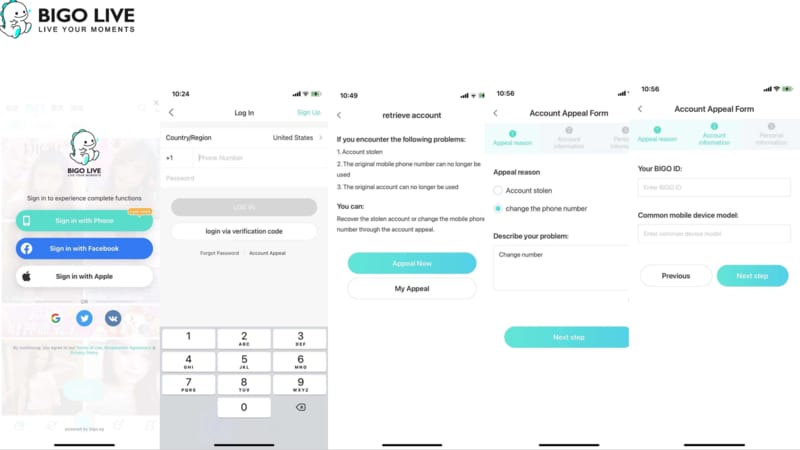
Because Bigo doesn't refund wrong-ID top-ups after the Diamonds are credited. Officially, all sales are final once the recharge lands.
Before any payment, verify:
Bigo ID: in Me > Profile > ID
Format: usually 7-10 digits, numbers only
Region: check Me > Settings > Region
Platform used: app, app store, or web
App version: users report version 5.0+ is more stable for recharges
In payment-flow comparisons, this is where users save the most trouble. A successful bank charge does not always mean the order cleared verification. And if the ID is wrong, support usually can't reverse a completed credit.
For new methods, I would test a small pack first. Community advice around a 60 Diamonds / $1 test purchase is sensible because it exposes region, wallet, and risk-check issues without risking a larger amount.
How do you top up Bigo Live Diamonds without a credit card step by step?
Use the official app or web checkout first, then move to a trusted ID-based recharge route only if your local method isn't available.
Check available payment methods
Open Bigo Live > Me > Wallet > Recharge
Review what appears for your account
On iPhone, also check App Store payment settings
On Android, check Google Play billing methods
Verify your Bigo ID
Go to Me > Profile > ID
Confirm the ID is the correct 7-10 digit number
Don't use a nickname or room number
Confirm your region
Open Me > Settings > Region
Match it to your payment country where possible
If you're using a VPN, turn it off; users commonly report payment failures and frozen Diamonds when VPNs are active
Choose your no-card method
PayPal on mobile.bigo.tv
Apple Pay on iOS
Google Play / Google Pay on Android
Debit or prepaid Visa/Mastercard
Local wallets where available, such as GCash/Maya/QRPh in the Philippines
Complete payment
Select the Diamond package
Review fees and make sure your wallet or bank balance covers the total; users commonly hit failures from being short by 1% to 3% after fees
Save the order ID or transaction reference
Confirm delivery
Open Me > Wallet
Pull down to refresh recharge history
Most trusted routes are commonly reported to deliver in under 3 minutes, but delays can range from 5-10 minutes up to 48 hours
If PayPal is your preferred route, Bigo Live Diamonds recharge with paypal is usually the cleanest non-card option when it appears on official web checkout.
How do you fix common Bigo Live Diamonds payment or delivery problems?

Start with ID, region, and cache. Community reports suggest 70% to 90% of issues are fixed in under 10 minutes by checking those basics.
Fast troubleshooting checklist
Honestly, delayed delivery is frustrating when the payment already left your account. But don't rush into a chargeback. Officially, approved refunds can take 7 to 30 days, and chargebacks can create more account trouble.
Contact support when:
Diamonds haven't arrived after 48 hours
You were charged but the order is missing
The app store billed you but Bigo didn't credit the account
Prepare these details first:
Bigo UID / ID
Order ID
Timestamp
Platform used: iOS, Android, web
Payment method
Screenshot of the charge and recharge history
Official support channels include the Bigo Help Center, feedback@bigo.tv, and cs_bigoamerica@bigo.sg. For in-app billing issues, contact the app store billing team as well.
Can I buy Bigo Live Diamonds without a credit card?
Yes. Bigo Live Diamonds can often be bought with PayPal, debit cards, prepaid cards, Apple Pay, Google Play billing, and some local wallets, depending on region and platform.
What payment methods does Bigo Live accept?
Officially, accepted methods can include PayPal, Apple Pay, Google Pay, debit cards, prepaid Visa/Mastercard, and Bigopay. In the US, official card support includes VISA, MASTERCARD, Diners, Discover, and Amex.
Can I use a debit card for Bigo Live Diamonds?
Yes, usually. Debit cards work if the issuer allows online digital purchases and the billing region matches your Bigo/store setup.
Why is my Bigo Live payment method not showing?
Usually because of platform or region limits. The method may be unavailable on your device, hidden by your app store billing country, or blocked by a region mismatch.
Why did my Bigo Live Diamonds payment fail?
Most failures come from region mismatch, insufficient balance after fees, bank declines, VPN use, or app cache issues. I would check those before trying a different seller.
What should I do if my Bigo Live Diamonds are not received?
Refresh Me > Wallet and check recharge history first. If nothing appears after 48 hours, contact Bigo support with your UID, order ID, timestamp, and payment proof.
Does Bigo Live Diamonds pricing change by country?
Yes, users commonly observe price differences by country, platform, and reseller route. That's one reason local wallets or regional billing setups can show different package values.
Bigo Live Diamonds can absolutely be topped up without a credit card, but the best method depends on your country, platform, and billing region. For most users, the safest path is official checkout with PayPal, debit, Apple Pay, Google Play billing, or a supported local wallet. Verify your Bigo ID, match your region, test a small pack first, and keep the order ID in case delivery is delayed.