
Yes—PUBG Mobile UC can be bought with crypto, but not directly inside PUBG Mobile. Officially, PUBG Mobile doesn’t accept Bitcoin or USDT natively; the working route is to buy a redeemable UC gift card from a crypto-enabled seller, then redeem it on Midasbuy with your correct region and Player ID.
That sounds simple, but most failures happen before redemption: wrong Player ID, region mismatch, underpayment, expired payment quote, or sending USDT on the wrong chain. If you want to PUBG Mobile UC top up with crypto safely, treat the account details and network choice as seriously as the payment itself.
Why do users choose crypto to buy PUBG Mobile UC?
Because crypto solves a real payment problem: no card, blocked local payment methods, or a preference not to use app-store billing. Users commonly report that crypto gift cards are especially useful in restricted payment situations, and cross-border buyers often use them to bypass some checkout limits while still matching the account’s actual region.
From comparing checkout paths, the trade-off is clear:
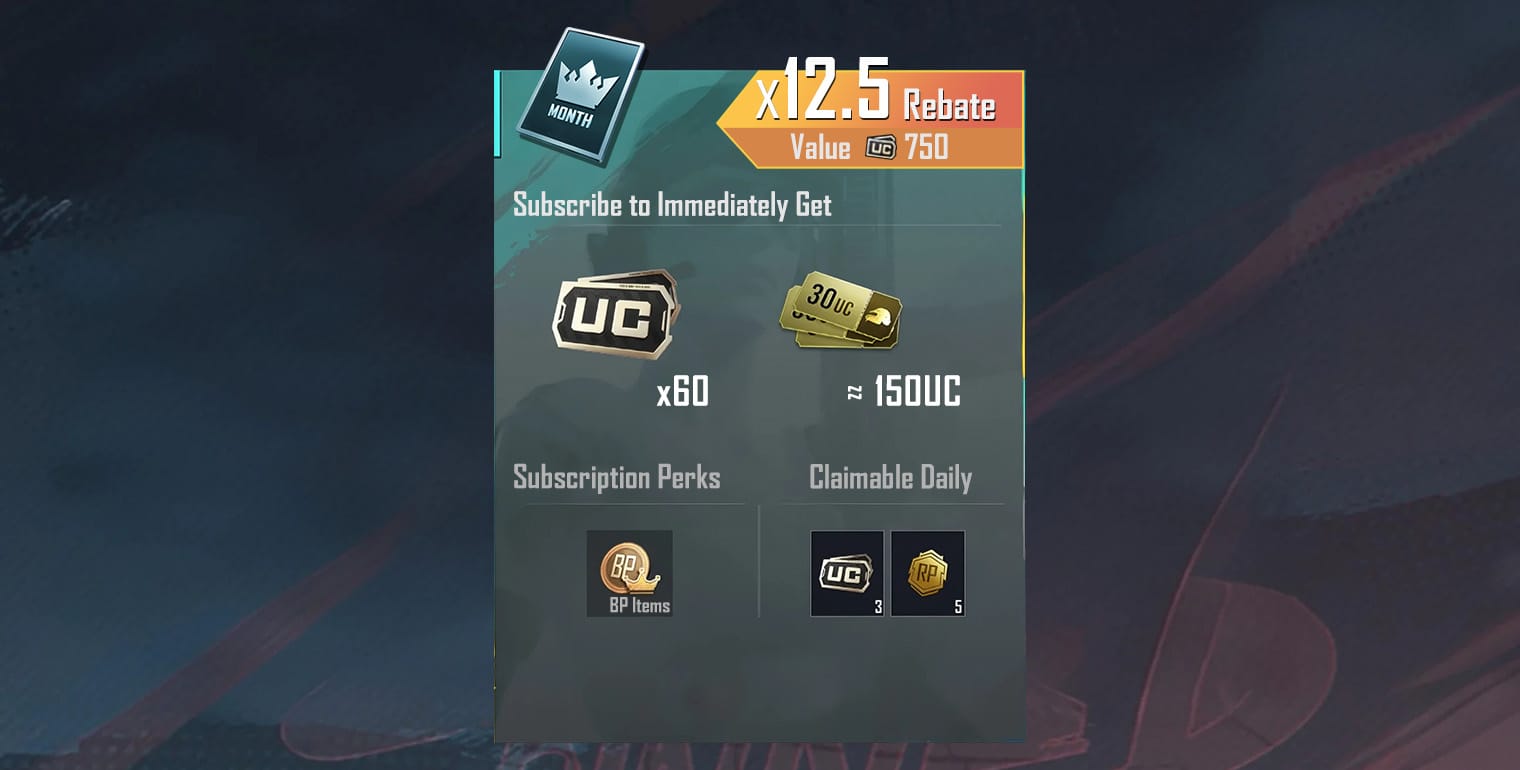
And price matters. Single-source pricing shows 60 UC around $1.20–$1.35, while 660 UC has been listed around $8.64 via USDT on some crypto sellers. Official Midasbuy promos also appear, including 10% off 300+ UC packs for limited campaigns and rebate events with bonus UC. So crypto is practical, but not automatically cheapest every day.
What should you check before paying for PUBG Mobile UC with Bitcoin or USDT?
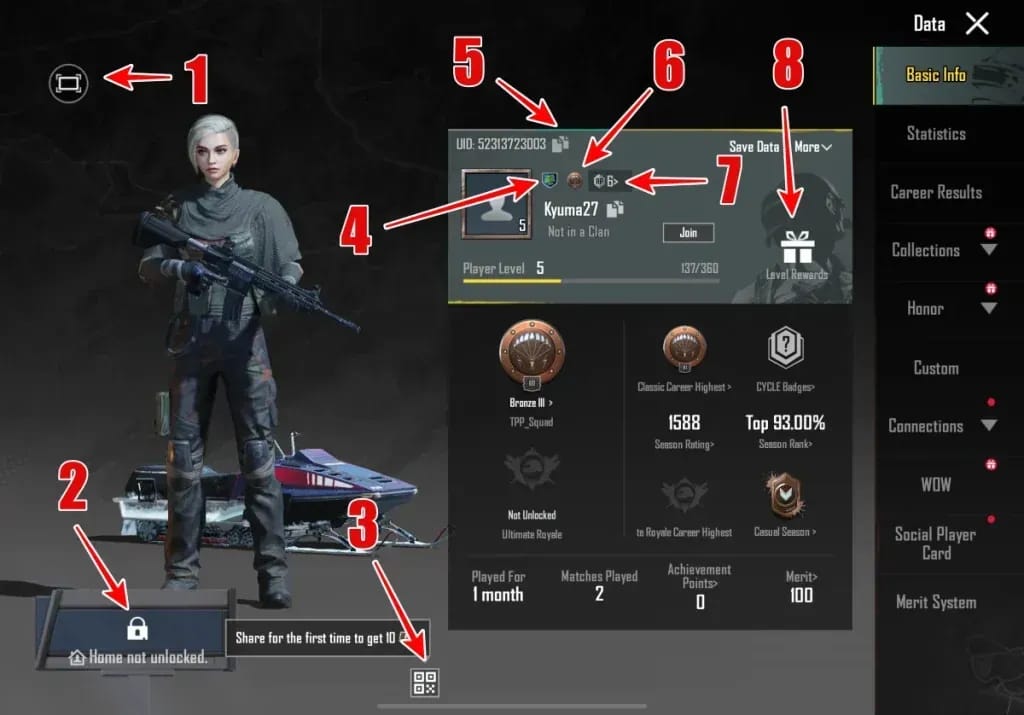
You should check three things first: Player ID, region, and crypto network. In my experience reviewing recharge issues, the most common crypto problem isn’t the wallet—it’s incorrect account information entered before payment.
Important checks:
Player ID, not Character ID: users commonly report PUBG Mobile redemption needs your 10-digit Player ID. You do not need a Character ID.
Correct region: Midasbuy redemption is region-based. If the selected region doesn’t match your account, redemption can fail.
Package amount: make sure the gift card value matches what you intend to redeem.
USDT chain: if the seller supports multiple networks, choose the exact one shown on the invoice.
The network point gets underestimated. Some sellers support TRC20 and ERC20 for USDT. If you send USDT on the wrong chain, funds can be lost. Personally, I would check this first on every USDT order because it’s one of the few mistakes that support often can’t cleanly reverse.
Why does PUBG Mobile UC crypto payment fail even when the wallet transfer succeeded?
Because a successful blockchain transfer only proves the crypto moved. It does not guarantee the order cleared the seller’s quote, verification, or redemption requirements.
Common failure points users report:
Wrong Player ID
Region mismatch
Underpayment
Expired payment quote
Wrong USDT network
Slow blockchain confirmation
VPN on or rooted device during payment flow
Honestly, delayed delivery is frustrating when the payment already left your wallet. But pending isn’t the same as failed. Community reports say code delivery is often instant after blockchain confirmation, yet confirmations can add 5–30 minutes, and low-priority transactions can take longer. Official guidance for missing UC is stricter: restart PUBG Mobile, check the Midasbuy order, wait up to 24 hours, then contact support.
One detail many guides miss: if the code was delivered but redemption failed, the problem is usually account data. If the code never arrived, the problem is usually payment status, quote expiry, or confirmation delay.
How do you buy PUBG Mobile UC with crypto step by step?
Use a crypto-enabled gift card seller, then redeem through official Midasbuy. That’s the standard flow confirmed by the available facts.
Choose a UC gift card amount
Select the PUBG Mobile UC gift card package on a seller that supports crypto. Some known options in the facts database support BTC, USDT, ETH, or more.Pick Bitcoin or USDT at checkout
If you use USDT, confirm whether the invoice is TRC20 or ERC20. TRC20 is commonly preferred for lower fees.Review the payment invoice carefully
Check:wallet address or QR
exact amount
network
payment expiry time
No wallet address is shared by you; the site generates the payment invoice.
Send the exact amount before the quote expires
Underpaying or paying after the quote window can leave the order pending or failed. I would avoid manual amount edits unless the checkout explicitly allows them.Wait for blockchain confirmations
Track the transaction hash on a blockchain explorer if the order doesn’t update quickly. Don’t panic in the first few minutes.Receive the gift code by email
The standard flow is payment first, then code delivery.Redeem on Midasbuy
Go to the official Midasbuy redemption page and enter:your region
your Player ID
the gift code
Check your PUBG Mobile account
UC should credit in-game after successful redemption. If not, restart the game and recheck the order status.
If you’re comparing card-free options, some users also look for ways to buy PUBG Mobile UC with USDT through checkouts that make package selection and order tracking clearer. I personally prefer the path with the cleanest order record, even if it isn’t always the absolute cheapest.
What should you do if your PUBG Mobile UC crypto order stays pending or UC doesn’t arrive?
First, separate payment pending, code delivered but not redeemed, and redeemed but UC not visible. The fix depends on which stage failed.
Quick troubleshooting table
Support proof that actually helps
Officially, support will want:
transaction hash
order ID
Player ID
screenshots
payment time / status evidence
When troubleshooting delayed delivery, these are the first details that consistently matter. Verify the tx hash on a blockchain explorer before contacting support. That saves time and shows whether the issue is on-chain delay or order handling.
Refunds are limited. Crypto payments are generally non-refundable after confirmation, and refunds after redemption are even more restricted. The one area that may still be fixable is before redemption, especially if the wrong ID was entered and the code hasn’t been used yet. But don’t assume recovery—contact support fast.
FAQ
Can I buy PUBG Mobile UC with Bitcoin?
Yes, but not directly from PUBG Mobile. Officially, PUBG Mobile has no native crypto payment support, so Bitcoin is used to buy a UC gift card first, then you redeem it on Midasbuy.
Can I use USDT to top up PUBG Mobile UC?
Yes, through crypto-enabled gift card sellers. The critical part is choosing the correct USDT network shown at checkout, usually TRC20 or ERC20.
What details do I need to buy PUBG Mobile UC with crypto?
You need the correct Player ID and the correct account region for redemption. You do not need a Character ID for this process.
How long does PUBG Mobile UC take to arrive after crypto payment?
Often it’s delivered soon after blockchain confirmation, but users commonly report 5–30 minutes just for confirmations. If the order is still pending, official guidance is to wait up to 24 hours before escalating.
Why is my PUBG Mobile UC crypto order still pending?
Usually because the blockchain transfer hasn’t fully confirmed, the payment quote expired, or the amount sent didn’t match the invoice. A pending wallet transfer is not the same as a failed top-up.
What happens if I send USDT on the wrong network?
That’s one of the highest-risk mistakes. Recovery may be limited, so contact the seller immediately with the transaction hash, but don’t expect a guaranteed refund.
Can I get a refund if I entered the wrong PUBG Mobile ID?
Maybe only if the code hasn’t been redeemed yet. After redemption or completed crypto settlement, refunds are usually very limited.
Is buying PUBG Mobile UC with crypto safe?
It can be safe if you use a trusted checkout, verify the Player ID twice, and never share your login or password. The safe rule is simple: only the Player ID should be needed for top-up.
PUBG Mobile UC with crypto works best as a two-step process: buy a gift card with BTC or USDT, then redeem it on Midasbuy with the right region and Player ID. My clear recommendation is to prioritize accuracy over speed—double-check the ID, match the region, use the exact USDT network shown, and keep your transaction hash and order ID ready in case support is needed.