
Most Yalla Live top ups arrive fast. Community and merchant data consistently point to instant delivery or roughly 1–5 minutes after payment confirmation, with some coin orders taking up to 10 minutes. A pending order doesn't automatically mean failure.
Check three things first: your Yalla Live User ID, the merchant order status, and whether the payment is only authorized rather than fully confirmed. If the order is still pending after the normal window, wait for payment sync where needed, then escalate with your order ID, timestamp, amount, and receipt. For a quick status check, use Yalla Live top up order tracking only after you've confirmed the payment actually went through.
Why can Yalla Live top up delivery be instant for some orders but delayed for others?
It comes down to where the order is waiting: payment confirmation, merchant processing, or account posting.
Most Yalla Live top ups are automated. Users commonly report instant credit or delivery within a few minutes, and several merchants list 1–3 minutes or 1–5 minutes as the normal window. For Yalla Live coins, 1–10 minutes is also within normal processing on some checkout paths.
But speed isn't identical across payment methods:
From comparing checkout paths, I would check the payment rail before blaming Yalla Live. A successful bank charge or wallet notification does not always mean the merchant has cleared the order for delivery yet. That's one of the most common misunderstandings in delayed recharge cases.
Peak demand matters too. Users commonly report short queue delays during busy periods, and event traffic can stretch "instant" delivery beyond the first minute without meaning the order is broken.
Why does a Yalla Live recharge show as pending even after I paid?
Usually because the payment and delivery systems haven't fully synced yet.
There are three different "pending" states, and mixing them up wastes time:
The causes are usually operational, not mysterious:
Payment confirmation lag, especially with bank transfer
Short queue during peak hours
Wrong Yalla Live User ID
Duplicate purchase attempts triggering review
Region/payment mismatch on certain local checkouts
Crypto confirmation delay on USDT-based orders
In my experience reviewing recharge issues, the biggest time-waster is users contacting support too early without checking whether the order is marked unpaid, queued, or complete. And the riskiest mistake is buying again while the first order is still under review. That can create duplicate charges and a slower fix.
One detail many guides miss: there is no widely cited official Yalla Live top-up status page. Users usually need to track through the merchant portal, payment receipt, or app balance history instead.
How can you tell whether your Yalla Live delay is still normal or needs escalation?
Use the timing, not the anxiety.
A practical rule:
0–5 minutes: normal for most direct top ups
Up to 10 minutes: still normal for some coin orders
1–2 hours: still possible for bank transfer latency or payment sync issues
Beyond that: start preparing support evidence
After 24 hours with no update: escalate firmly
There is some source variation. Community reports say most orders are instant or within minutes, while one source notes some orders can take as long as 12 hours in edge cases. I wouldn't treat 12 hours as normal. For urgent buyers, anything beyond the standard window should be treated as delayed, even if it may still resolve automatically.
If you need a live status view while waiting, check Yalla Live recharge pending only after confirming the order wasn't already credited in-app.
What should you do if your Yalla Live top up is delayed or not received?
Start with verification, then escalate in the right order.
Check your Yalla Live balance in the app.
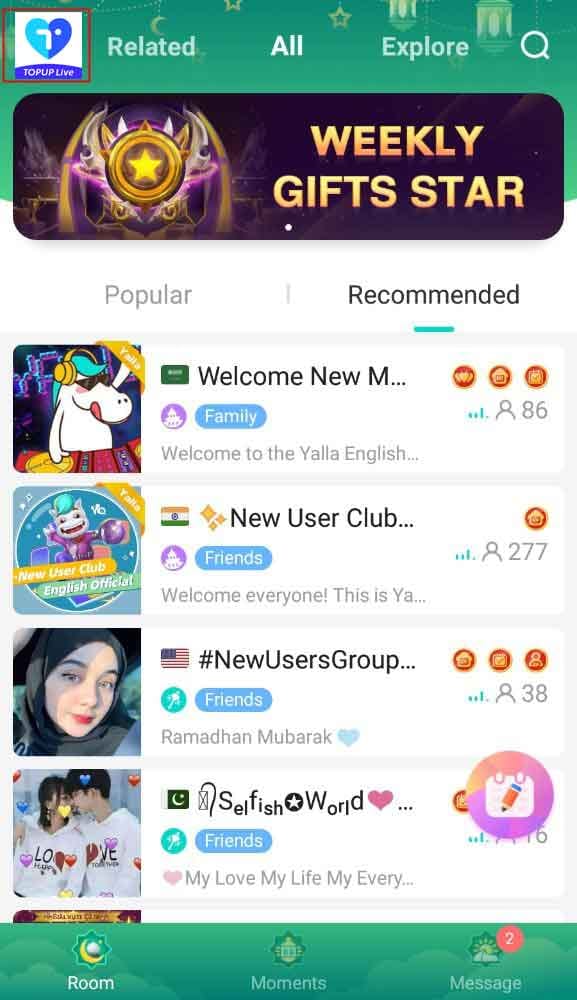
Open Yalla Live, tap your profile, and view the balance under your nickname. Refreshing this first prevents duplicate purchases.
Confirm the correct User ID.
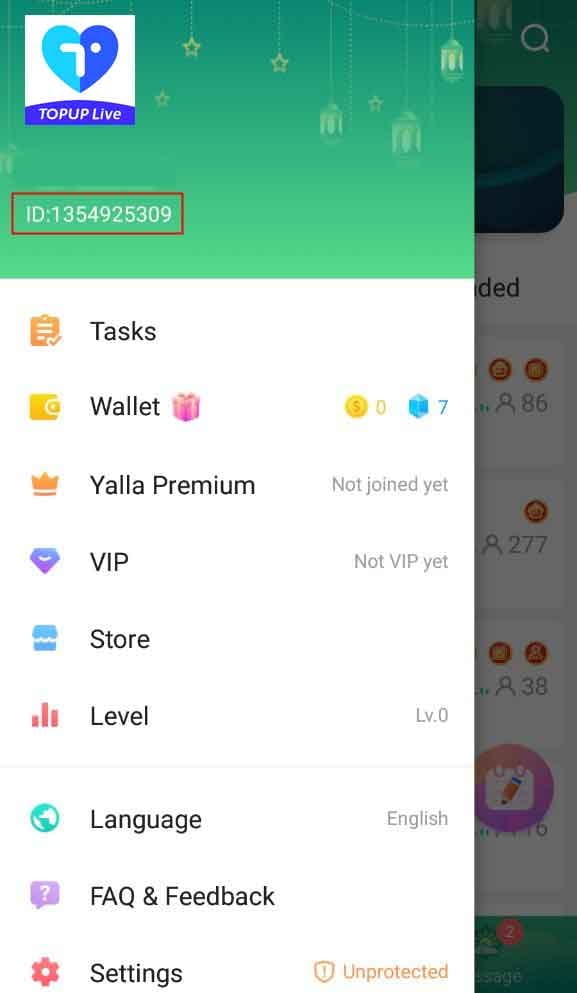
Your Yalla Live User ID is found from the app profile area. UID-only top up is common and safer because it avoids password sharing, but it also means one wrong digit can send credit elsewhere.Open the merchant order history.
Many merchants provide a My Orders, transaction menu, or account history page. Check whether the order says paid, processing, queued, unpaid, or complete.Match the payment timestamp and amount.
Compare the merchant order with your bank, wallet, Google Pay, Apple Pay, GCash, or crypto receipt. You're checking whether the payment was captured, not just initiated.

Wait if the payment method is known to lag.
For bank transfer, waiting 1–2 hours is often reasonable. For USDT, some sites can take up to 2 hours for confirmation.Don't buy again yet.
Honestly, this is where people make the mess bigger. If the first order is still processing, a second purchase can create duplicate charges and a harder support case.Contact merchant support after the normal window.
If the order is still queued or processing after about 5–15 minutes on a normally instant method, contact the seller first. If nothing changes after 24 hours, escalate more formally.
How should you prepare support proof so the case moves faster?
Give support the exact evidence they need in one message.
From reviewing delayed recharge cases, the fastest tickets are the ones that include all core identifiers up front:
Keep screenshots clear. Crop out unrelated personal data, but don't hide the order number, amount, or time. Personally, I would avoid sending extra sensitive information that support didn't ask for.
If the merchant shows completed but the balance is still missing, include a screenshot of your Yalla Live profile balance too.
How long does a Yalla Live top up usually take?
Usually instant to 5 minutes after payment confirmation. Some Yalla Live coin orders can take up to 10 minutes, while bank transfer or crypto confirmation can stretch the wait to 1–2 hours.
Why is my Yalla Live recharge still pending?
Most pending cases are payment sync delays, queueing, or account-detail issues. Check whether the payment is fully confirmed, whether the merchant order is still processing, and whether your User ID was entered correctly.
How can I track my Yalla Live top up order?
Track it through the merchant's My Orders or account history page, then compare it with your payment receipt and your in-app balance. On some sites, you log in, open My Order, choose the status, and click the order ID for details.
What should I do if payment was successful but Yalla Live credits did not arrive?
First verify the balance in the app and confirm the order wasn't already credited. Then check whether the payment was captured, not just authorized, and contact the merchant with the order ID, receipt, amount, timestamp, and User ID.
Can I cancel a pending Yalla Live recharge?
Sometimes, but not always. If the payment is only authorized or still unsettled, reversal may be possible; if the order is already processing or completed, cancellation is much less likely, so ask support before filing a charge dispute.
What proof does support need for a missing Yalla Live top up?
Support usually needs the order ID, payment timestamp, amount, Yalla Live User ID, and a receipt screenshot. If available, include the transaction ID from your bank, wallet, or payment gateway.
Will a wrong account ID or region mismatch delay Yalla Live delivery?
Yes. A wrong User ID can misroute the recharge or stop fulfillment, and region/payment mismatches can trigger review or failure on some checkout paths.
Most Yalla Live top ups are fast, but "fast" still means you should verify before reacting. Check your app balance, User ID, merchant order page, and payment receipt first. Wait through the normal processing window for your payment method, then escalate with complete proof instead of buying again. If speed matters, choose a checkout path with clear order tracking and keep your order ID ready from the start.