
If your Fate/Grand Order Apple ID billing is pending, first identify the checkout channel: Apple ID billing, Google Play, or web checkout. That one step decides what proof matters and who can fix it. A pending App Store order usually means Apple is still verifying payment, holding authorization, or trying to clear an unpaid balance.
Don’t treat a bank charge alert as final proof. In my experience reviewing recharge issues, the fastest fix comes from checking Apple purchase history first, then deciding whether to wait, update payment details, restore where applicable, or switch to web top-up only after the original order clearly won’t complete.
Why is my Fate/Grand Order Apple ID billing pending?
It usually means Apple has not fully settled the transaction yet. Officially, pending status can reflect an authorization hold, billing verification, or an unpaid Apple balance tied to your account.
Common triggers:
Expired or blocked card
Apple Pay or billing method needing re-verification
Unpaid App Store balance from an earlier purchase
Local currency mismatch between your App Store region and card country
Store-side review or delay
From comparing checkout paths, this is the mistake I see most: users assume money left my bank means the order is done. It doesn’t. A bank hold is not proof of delivery. Community reports consistently show that only an Apple receipt or confirmed in-game delivery proves the purchase cleared.
If your App Store currency looks wrong, check region next. Users widely report that a mismatch between App Store country and payment card country can block billing or keep it pending. On iPhone or iPad, the region path is:
Settings > [your name] > Media & Purchases > Country/Region
And yes, some FGO players hit this after using VPNs or cross-region accounts. That’s also why Fate/Grand Order Apple ID payment failed cases often need a region check before anything else.
How do I tell whether my Fate/Grand Order payment happened on Apple ID billing or web checkout?
Check the receipt source first. If the order was made through Apple ID billing, you should see it in Apple purchase history or receive an Apple receipt email. If it was a web checkout, the proof is the web order confirmation, not your App Store history.
Use this quick diagnosis table:
Important distinction:
Apple receipt: proves Apple completed the order.
Bank charge or pending card line: may only show authorization.
Web order confirmation: proves the web order exists independently of the app store.
In-game inventory check: proves delivery reached the account.
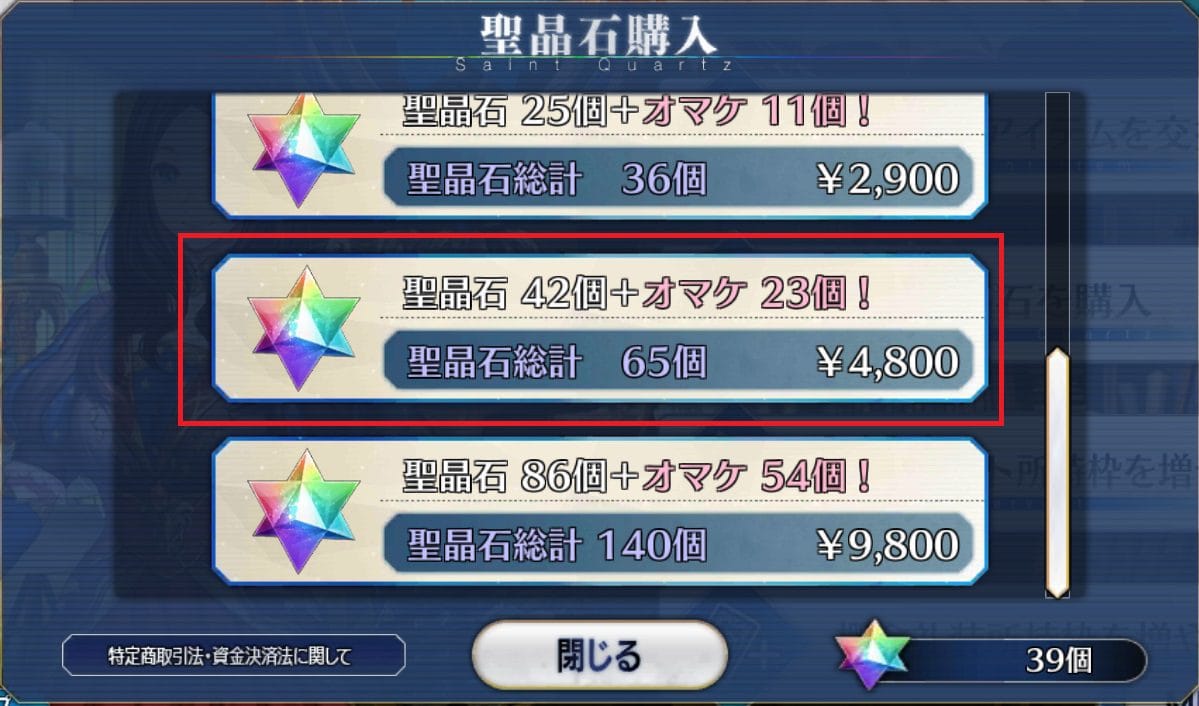
For FGO, check where Saint Quartz should appear after a successful purchase. Community guidance points users to the Item Pouch in My Room after purchase. If the order is complete but SQ is missing, that’s when support evidence matters.
Why is restore purchase not always the fix for missing Saint Quartz?
Because restore is limited. Officially, Restore Purchases in FGO is for restorable items, not a universal fix for consumable currency.
You can usually find Restore Purchases in the FGO app settings, store, or main menu. It may help after an iPhone update or device change, especially when the entitlement exists but the app hasn’t refreshed. But for consumable SQ, restoration has limits, especially if the currency was already consumed.
That’s the part many guides miss. Restore purchase is not the same as reissue all missing currency. If your order is still pending, restore won’t force Apple to complete it. If the order completed and the app didn’t refresh, some users report tapping the same SQ pack again can trigger an already bought message and deliver the pending item. That’s a community workaround, not an official guarantee.
Also note one edge case: Family Sharing is reported as incompatible with FGO IAP restoration on iOS.
How can I fix a Fate/Grand Order Apple ID pending purchase step by step?
Start with Apple, not FGO. If Apple still shows pending, the publisher usually can’t finalize a store-side transaction for you.
Check Apple purchase history
Go to Settings > [name] > Media & Purchases > Purchase History
Look for the FGO order status
If it still says pending, don’t buy the same pack again yet
Update your payment method
Go to Settings > [name] > Payment & Shipping
Add a valid payment method first
Remove the old or failing method after
If Apple Pay is stuck, also check funds and device restrictions
Clear unpaid Apple balance
Officially, redeeming an App Store gift card can clear unpaid balances that block pending purchases
Check region and currency
Make sure your App Store country matches the billing country of your card
If the local currency shown in the App Store doesn’t match your actual payment setup, fix that before retrying
Restart and recheck FGO
Close and reopen the game
Check the Item Pouch / My Room area for SQ
If the order completed, the content may appear before the bank charge fully finalizes
Use Restore Purchases only when relevant
Open FGO and tap Restore Purchases in shop/settings
Useful after app updates or device changes
Not a guaranteed fix for consumable SQ already used or never fully processed
Wait before escalating
Community advice is sensible here: if Apple pending lasts beyond 24–48 hours, contact Apple Support
You can’t directly cancel a pending Apple purchase yourself in the normal flow; Apple says it auto-resolves or is handled on their side
If it later processes and you need reversal, use reportaproblem.apple.com to request a refund
Honestly, delayed delivery is frustrating when the payment already left your account. But I would still avoid duplicate purchases until you know whether the first order is pending, completed, or failed.
When should I use web top-up instead of Apple ID billing for Fate/Grand Order?
Use web top-up when App Store billing is blocked by region, currency, or repeated verification issues — but only after you confirm the original Apple order won’t also complete. Web checkout is often simpler for cross-region users because it bypasses app-store billing rules, though you still need the correct FGO account and server.
This is where Fate/Grand Order web top up iOS becomes relevant. Community reports consistently say web checkout is safer when App Store billing fails due to region or VPN-related mismatch.
Before paying on web checkout, verify:

Your FGO server
NA and JP are separate
NA support is tied to fate-go.us
Don’t assume purchases cross between servers
Your account identifier
Keep your Friend ID ready
If you’re recovering access, FGO support may also ask for birthday, last login, and SQ purchase history
Your region logic
Match the checkout to the actual account/server region
If your App Store shows one currency and the web page shows another, that usually reflects different billing systems, not necessarily an error
Your proof trail
Save the order confirmation page or email
Screenshot timestamps, account ID, server, and device
Personally, I prefer the channel with clearer order tracking. App Store is familiar, but web checkout often gives cleaner proof when you’re dealing with cross-region play or repeated Apple billing stalls. If Apple billing keeps failing, compare the official web details carefully and use VGTopup only after confirming the correct account and order path.
What should I do if my Fate/Grand Order purchase is still not showing after payment?
Use the receipt to choose the support path. If Apple has not issued a completed receipt, contact Apple first. If Apple shows the order complete but no SQ arrived, contact FGO support with full proof.
Keep this checklist ready:
For NA support, use support@fate-go.us. If you’re dealing with account recovery too, include Friend ID, birthday, last login, and SQ purchase history.
FAQ
Why is my Fate/Grand Order Apple ID payment still pending?
Because Apple hasn’t fully cleared it yet. Officially, pending can mean authorization hold, verification, or unpaid balance; community reports also point to region and currency mismatch.
How long does an App Store pending purchase usually take?
There’s no single fixed time, but waiting up to 24–48 hours is the common threshold before contacting Apple Support. Don’t assume a same-day bank charge means the order is finished.
If Apple charged me, why is my Fate/Grand Order purchase not showing?
A charge can still be a hold. Check Apple purchase history for a completed receipt, then check FGO’s Item Pouch/My Room; if Apple completed the order and SQ is still missing, contact FGO support.
Can I restore a Fate/Grand Order purchase after changing iPhone?
Sometimes, yes. Open FGO and use Restore Purchases after changing iPhone or updating iOS, but remember that consumable SQ is not always restorable the same way as non-consumables.
Should I contact Apple or Fate/Grand Order support for a pending purchase?
If the order is still pending in Apple, contact Apple first. If Apple shows it completed and FGO still didn’t credit the purchase, contact FGO support with receipt, Friend ID, server, device, and timestamps.
Why does my App Store price show a different currency than the web checkout?
Because App Store billing follows your Apple account region, while web checkout may follow a different regional billing setup. If the App Store currency doesn’t match your card country, that mismatch can also cause pending or failed billing.
Fate/Grand Order Apple ID billing pending is usually an Apple-side settlement problem, not an in-game one. Check the checkout channel first, verify the receipt type, and don’t rely on a bank hold as proof. If Apple billing keeps stalling or your region setup is the real blocker, switch to web top-up only after confirming the original order status and matching the correct FGO server and account.