
Yes—if your ZEPETO Premium renewal or a limited-time item matters to you, topping up ZEMs before the deadline is usually the lower-risk move. ZEPETO Premium renewals run on store billing, while ZEM top-ups are a separate purchase flow, and both can be slowed by app-store processing, card verification, or account-region issues.
Officially, Premium Basic renews on the 15th each month and Premium Plus on the 27th. Activation can still take 1–2 days after successful payment, and benefits may not unlock until the exact renewal time. So don't rely on same-day checkout if the deadline matters.
Why is topping up ZEMs before the ZEPETO Premium deadline usually safer?
It’s safer because ZEM top-ups give you a buffer, while last-day payments leave no room for store or bank delays. Official guidance says Premium activation can take 1–2 days after payment or renewal. That alone is enough reason to avoid waiting.
The key distinction many guides miss: Premium renewal and ZEM top-up are not the same thing. Premium is an auto-renewing subscription through Apple App Store or Google Play. ZEM is stored currency, and official information says its purchase timing is separate from Premium renewal timing. If you need ZEMs for a limited-time item, campaign, or membership-related purchase, buying them early reduces the chance that a pending payment blocks you at the deadline.
From reviewing digital renewal failures, the most preventable issue is simple: users don’t realize until the last day that billing is tied to their Apple ID or Google Play account, not the in-app profile alone. That’s when expired cards, failed 3-D Secure, or issuer fraud checks become painful.
For pre-deadline planning, this is the practical split:
If you’re preparing early, ZEPETO ZEMs top up before premium renewal is the right mindset: secure the currency first, then handle the time-sensitive purchase calmly.
What can delay a ZEPETO Premium renewal or ZEM top-up in 2026?
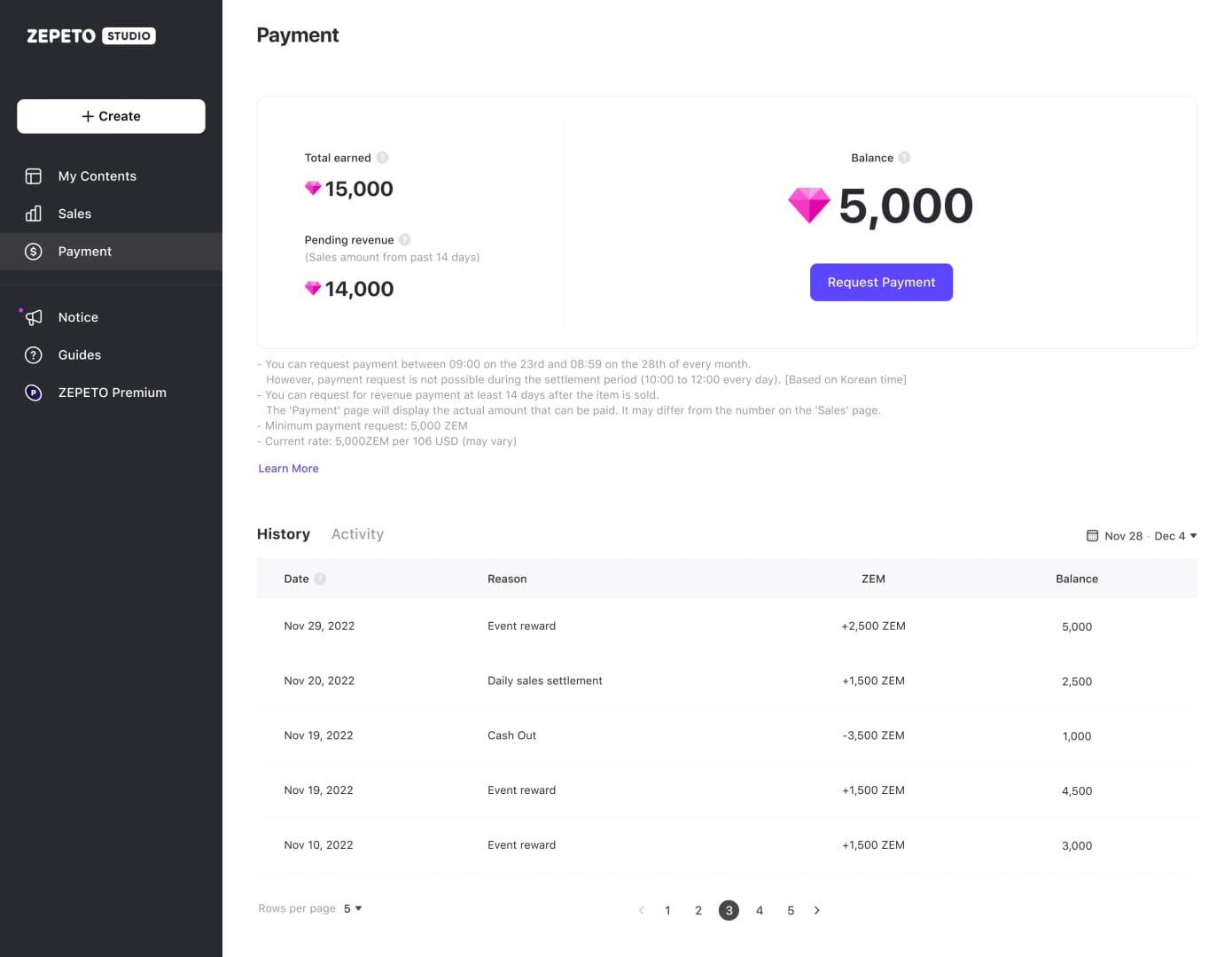
The usual delays are store billing review, card authentication, and account-region mismatch. A payment screen saying successful doesn’t always mean Premium is already active.
Officially confirmed timing risks:
Premium benefits can remain unavailable until the exact renewal time, even on renewal day
Activation can take 1–2 days after successful payment
No official grace period is specified
Renewal cutoff behavior varies by platform policy
Widely observed by users:
Google Play or App Store charges can sit in pending status
Region mismatch can cause payment failure or verification review
Changing phones can make users think Premium disappeared when it actually needs restore checks
In urgent troubleshooting, I would check these first instead of retrying payment:
Billing source — Apple App Store or Google Play
Exact account — the ZEPETO login and the store account must be the intended ones
Receipt status — approved charge, pending, canceled, or reversed
Region fit — users commonly report mismatch failures when account region and payment method don’t align
And yes, a successful bank charge can still be misleading. The store may have authorized the payment while ZEPETO activation is still waiting on verification. Honestly, that’s the most frustrating version of this problem because it looks done when it isn’t.
How do you check your ZEPETO Premium expiry date and billing source before the deadline?
Check it in the app first, then confirm the store account handling the renewal. Officially, the path is App Settings > View Premium Benefits > Next Payment Date.
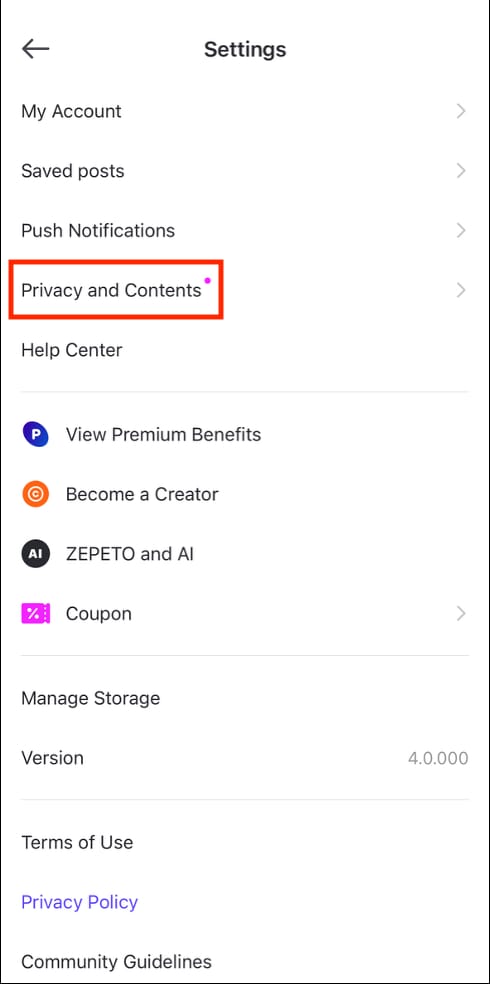
That screen tells you the next payment date, which matters because official schedule data says:
Premium Basic: renews on the 15th each month
Premium Plus: renews on the 27th each month
Then verify the billing path:
Officially, Premium auto-renews monthly unless canceled through Apple App Store or Google Play. You can’t cancel it inside the ZEPETO app. On Apple, auto-renew should be turned off at least 24 hours before the current period ends.
One more detail many users overlook: Apple subscriptions are limited to one device, one store account, one ZEPETO account per subscription. If you share devices or switch Apple IDs, check this before assuming the renewal failed.
How should you top up or renew ZEPETO Premium without buying too late?
Use a deadline-safe checklist and leave a real buffer. Personally, I would avoid same-day renewal if the item, event, or membership continuity matters.
How to prepare before a renewal, event, or limited-time offer?

Check your next payment date in ZEPETO.
Go to Settings > View Premium Benefits > Next Payment Date.Confirm whether you’re on Basic or Plus.
Basic renews on the 15th; Plus renews on the 27th.Check the store account that will be charged.
Look at your Apple ID billing or Google Play subscriptions. Don’t assume the phone’s current login is the billing login.Verify payment readiness.
Make sure your card, Apple Pay, Google Pay, or linked billing method is active. If your bank often triggers extra verification, don’t wait until the final hours.Check account region and payment-region fit.
Community reports consistently point to region mismatch as a failure point. This matters more for users paying across regions or after moving countries.Top up ZEMs early if you need them for a deadline.
Purchased ZEMs are reported to carry forward indefinitely, while free currency has a 30-day expiration rule from March 19, 2026, 12:00 PM KST. That makes early purchased ZEM top-up much less risky than waiting.Save proof before the deadline.
Keep the order ID, receipt, and store payment details.
If you need a straightforward prep option for a time-sensitive purchase, ZEPETO premium expiry recharge ZEMs fits naturally into that plan—just make sure the account details are correct before you pay.
How do you fix a payment that succeeded but Premium or ZEMs did not appear?
Start with verification, not repeated checkout attempts. Re-trying too fast can create duplicate charges or more confusion.
Check the receipt status.
Confirm whether the store shows completed, pending, or failed.Wait within the official activation window.
Premium activation can take 1–2 days after successful payment.Check purchase history.
On Google Play, users commonly restore by checking Play Store purchase history. If you changed Android phones, go to Google Play > Payments & subscriptions.Confirm the exact account received the purchase.
Wrong ZEPETO login is a common hidden issue.Escalate to official support.
Use support.zepeto.me and send:order ID
receipt
support code
platform
payment details
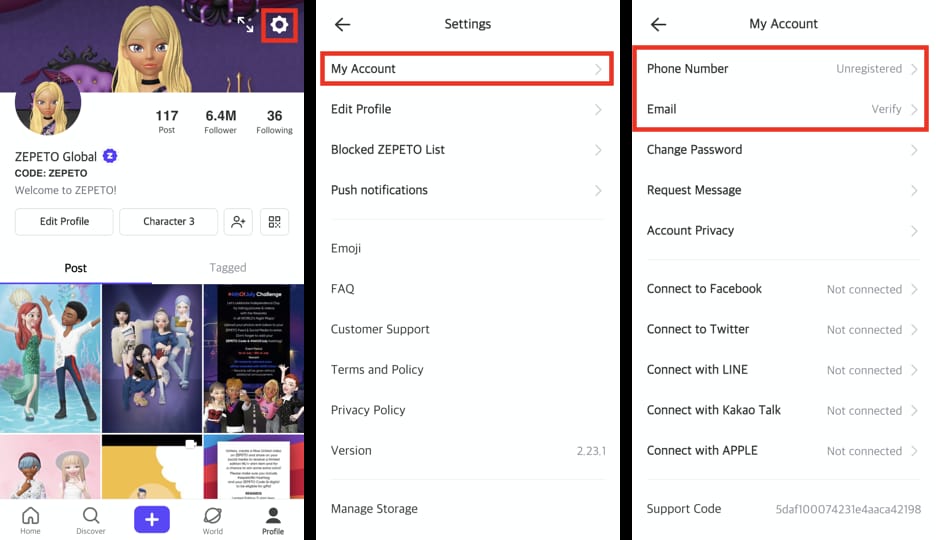
That’s usually the fastest path. In my experience reviewing payment issues, support can only act quickly when those details are complete.
FAQ
Should I top up ZEMs before my ZEPETO Premium renewal date?
Yes, if timing matters. Early top-up is the lower-risk option because Premium activation can take 1–2 days and same-day payments can get stuck in verification.
What happens if ZEPETO Premium renewal fails on the deadline?
You can resubscribe later with no stated penalty, but you lose Premium benefits until the new payment clears. There’s no officially specified grace period, so don’t count on one.
How do I check my ZEPETO Premium expiry date?
Open Settings > View Premium Benefits > Next Payment Date in the ZEPETO app. Then confirm the exact renewal time in your Apple App Store or Google Play receipt.
Why is my ZEPETO payment pending before renewal?
The usual causes are app-store processing, card verification, 3-D Secure, issuer fraud checks, or account-region mismatch. A bank authorization alone does not guarantee immediate activation.
Can I restore ZEPETO Premium after changing phones?
Usually yes, but the restore path depends on the billing platform. On Android, users commonly check Google Play purchase history or Payments & subscriptions after switching devices.
Do ZEM top-ups arrive instantly in ZEPETO?
Not always. If there’s a verification delay, delivery may not be immediate, which is why topping up before a deadline is safer than buying at the last minute.
Will App Store or Google Play delays make me miss the renewal deadline?
They can. Officially, activation may take 1–2 days, and exact cutoffs vary by platform policy, so store delays are a real deadline risk.
What details should I send support if Premium is not activated after payment?
Send your order ID, receipt, support code, platform, and order details through the official support channel. Include the correct ZEPETO account information so support can match the purchase.
ZEPETO Premium renewal timing in 2026 is simple in theory but risky in practice: Basic renews on the 15th, Plus on the 27th, and activation can still take 1–2 days. If the deadline matters, top up ZEMs early, verify your billing source and account details, and keep receipts ready. Waiting until the last day only makes sense when the purchase isn’t urgent.