
Third-party Bigo Live Diamonds recharge can be safe only when the seller uses a transparent checkout, never asks for your password, provides order tracking and support, and clearly explains delivery and refund limits. If any part of the process is vague, manual, or too cheap to be credible, official Bigo Live checkout is the safer choice.
Official Bigo Live top-up via the app or bigo.tv is confirmed safest: it’s fully compliant, has zero ban risk, and usually delivers within 3 minutes. Third-party options can save 25% to 60%, but unauthorized sellers carry serious downside, including reported suspension risk and scam losses. If you want the short recommendation: use official for maximum safety; use a verified ID-only reseller only if savings or local payment access matter.
Why is official Bigo Live Diamonds checkout usually safer for most users?
Official checkout is usually safer because the rules, payment flow, and support path are clearer from start to finish.
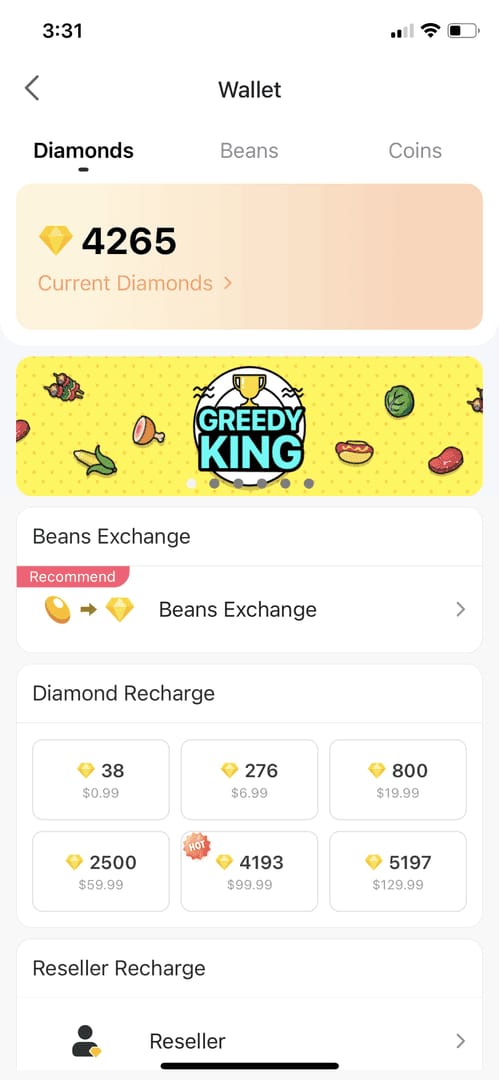
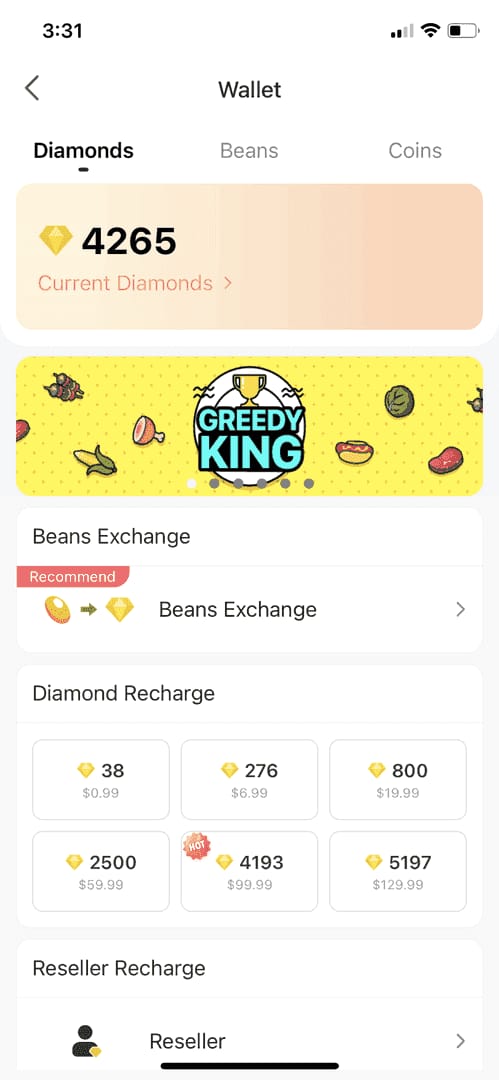
The official app flow is simple: Me > Wallet > Recharge > select pack > pay. Bigo’s official website and app store channels also give you built-in order records, payment confirmations, and a documented support route through the official help center and feedback@bigo.tv. In my experience reviewing recharge issues, that paper trail matters more than people expect.
Official also reduces account risk. Community reports consistently describe official top-ups as 100% compliant with zero ban risk, while Bigo officially states that unauthorized trading can lead to suspension or bans. If you’re sending live gifts and need diamonds immediately, I would use official first.
Official vs third-party at a glance
One nuance many guides miss: official pricing isn’t always the same across channels. Community pricing shows in-app 100 diamonds at $3.14, while a single-source data point puts official web pricing at $0.0163 per diamond on 500+ packs. So official is always much more expensive isn’t fully true. Sometimes the web checkout narrows the gap.
If you’re comparing value, this breakdown helps frame whether Bigo Live Diamonds official vs third party recharge is worth the trade-off for your account and payment method.
What makes an unofficial Bigo Live Diamonds recharge risky or acceptable?
An unofficial recharge is acceptable only when it behaves like a proper checkout, not like a chat-based favor.
The safe baseline is clear:
It asks for Bigo account ID only
It does not ask for your password or login
It shows HTTPS and a real order record
It keeps support on-platform
It explains delivery timing and refund limits before payment
Community experience is blunt here: never share your Bigo password for top-ups. Legitimate third-party crediting is server-side and normally needs only your account ID. Personally, I would avoid any seller that asks for login access, screenshots of your password screen, or manual verification through private chat.
Red flags that should stop the purchase
The scam numbers are ugly. One single-source estimate says 39% of Bigo users were affected by diamond scams in 2026, with losses of $200 to $440 per incident. That doesn’t mean every third-party site is bad. It means your filter has to be strict.
And there’s a practical distinction people often miss: some scam-looking cases are actually operational failures. The most common non-scam causes I see are:
wrong Bigo ID
region mismatch
delayed balance refresh
payment captured but order still under verification
A successful bank charge does not always mean the order has fully cleared. That’s frustrating, honestly, but it’s not the same as fraud.
How can you check if a Bigo Live Diamonds top-up site is trustworthy before paying?
You can check trustworthiness in under two minutes if you focus on the right signals.
Use this checklist before you pay:
Check the domain and security
Official pages should be on bigo.tv
Any checkout should use HTTPS
Avoid links sent only through chat or social DMs
Check what data the site asks for
Safe: Bigo account ID, selected pack, payment details
Not safe: Bigo password, login code, account takeover access
Check order visibility
You should get an order ID, payment confirmation, and receipt
No order record usually means weak support later
Check support channels
Official support: bigo.tv/blog/bigo-help and feedback@bigo.tv
Third-party support should be visible before checkout, not only after payment
Check discount realism
Community pricing shows authorized resellers can be 25% to 60% cheaper
But discounts over 50% are a known scam signal unless the seller is clearly established and transparent
Check region fit
Region mismatch can cause delivery failure
Match your account region to the payment and product flow
From comparing checkout paths, the clearest trust difference is not just price. It’s whether you get an order number, payment proof, and a documented support path. That’s why I’d rather use a transparent seller than a slightly cheaper one with no paper trail.
If you’re weighing whether Bigo Live Diamonds third party top up safe is a realistic option, start with those checks before you even compare prices.
How should you buy Bigo Live Diamonds safely if you use a third-party checkout?
If you use a third-party checkout, buy like you’re preparing for support before anything goes wrong.
Start with a small test order
Don’t begin with a large pack. A small order tells you whether delivery, ID matching, and support are real.Double-check your Bigo account ID
Wrong ID can send diamonds to the wrong account, and community reports say recovery is usually not possible. I would check this first, every time.Confirm your account region
Region mismatch can block delivery even when payment succeeds. This is one of the easiest problems to mistake for a scam.Use a payment method with records
Official web checkout accepts Visa, Mastercard, Diners, Discover, and Amex. Depending on region, users also commonly report local methods like GCash, OVO, and GrabPay for regional top-ups. The key is not the wallet name; it’s whether you get a timestamped payment record.Save proof immediately Keep:
order ID
receipt or invoice
payment timestamp
account ID used
checkout confirmation screenshot
Refresh before panicking If diamonds don’t show, refresh the app and clear app cache. Community troubleshooting reports this solves some missing top-ups.
Know the refund boundary Officially, diamonds are non-refundable once credited and all sales are final. App Store and Google Play protections can help in some purchase disputes, but external checkouts usually have narrower refund options.
For urgent gifting, I personally prefer official because instant availability is more predictable. For no-card users or people trying to avoid app store pricing, a transparent third-party flow can make sense.
What should you do if your Bigo Live Diamonds do not arrive or the charge looks wrong?
If your diamonds don’t arrive, check the order details before assuming fraud.
Follow this order:
Verify payment status
Confirm the charge actually completed, not just authorized.Refresh the app
reopen Bigo Live
clear app cache if needed
check wallet balance again
Recheck the Bigo ID and region Wrong ID and region mismatch are common causes of failed or misapplied delivery.
Find the order ID and receipt When troubleshooting missing digital top-ups, the details that usually solve the case are the order ID, payment timestamp, account identifier, and screenshots.
Contact the seller first Authorized third-party resolutions reportedly succeed the same day in 92% of cases. Give concise proof, not a long story.
Escalate if needed
Official support: official help center or feedback@bigo.tv
App purchase issue: use Apple or Google purchase support
Charged twice: contact the payment provider and Bigo support with receipts
Two important caveats:
No chargebacks on diamonds is a real risk signal in this category; forced reversals can trigger account freeze or ban.
New accounts may see frozen diamonds for 7 to 14 days before unfreezing. Annoying, yes. But that’s different from a failed delivery.
FAQ
Is it safe to buy Bigo Live Diamonds from a third-party website?
Yes, but only if it’s an authorized-style, ID-only checkout with HTTPS, order tracking, and visible support. If the seller asks for your password, pushes you into chat, or offers unbelievable discounts, don’t buy.
What is the difference between official and unofficial Bigo Live recharge?
Official recharge is directly through Bigo Live app or bigo.tv, with clearer policy, support, and app store protections. Unofficial recharge can be cheaper and fast, but safety depends entirely on whether the seller is transparent and authorized-like in practice.
Can I get a refund if Bigo Live Diamonds do not arrive?
Usually not once diamonds are credited, because official policy says all sales are final and diamonds are non-refundable. If the issue is a failed app store purchase, Apple or Google protections may still help depending on the case.
What details do I need to top up Bigo Live Diamonds safely?
Normally just your Bigo account ID and payment details. You should never share your password, login code, or full account access for a standard top-up.
Why is my Bigo Live Diamonds order delayed or missing?
The common causes are payment still pending, wrong Bigo ID, region mismatch, or the app balance not refreshing. Check the order ID, payment timestamp, and account details before escalating.
Are cheaper Bigo Live Diamonds always risky?
No. Authorized-style third-party pricing can be 25% to 60% lower because it avoids some app store fees. The risk starts when the discount is unrealistic, especially over 50%, or the checkout has no proper records.
How do I verify a Bigo Live recharge site before paying?
Check HTTPS, visible support, order confirmation, and whether it asks only for your Bigo ID. If there’s no receipt path, no order history, or support exists only in private chat, skip it.
Official Bigo Live checkout is still the safest answer for most buyers: clearer policy, stronger payment protection, and zero ban risk. Third-party recharge can be safe, but only when the seller uses an ID-only, trackable, supportable flow. My recommendation is simple: use official for new accounts, urgent gifts, and large orders; use a transparent provider like VGTopup only when the savings or local payment access clearly justify it.