
Yes—if GCash appears in the checkout flow, you can buy Ragnarok M: Classic Zeny in the Philippines by choosing a Zeny package, entering the exact account details the page asks for, and paying in PHP through your wallet. The two checks that matter most are your ID/server entry and your GCash readiness: enough balance, active OTP, and no session timeout.
For a PHP-friendly checkout path, many buyers look for Ragnarok M: Classic Zeny GCash top up options because local-wallet wording is clearer than generic recharge pages. Community reports also show that direct in-game GCash support is often unavailable, so buyers usually use authorized third-party checkout flows instead.
Why do Philippines users prefer GCash for Ragnarok M: Classic Zeny top ups?
GCash is popular because it matches how Filipino buyers actually pay online: wallet first, PHP first, no card needed. Community-listed payment options for PH top-ups commonly include GCash, Maya, QR Ph, BDO, and Security Bank, which tells you the market is built around local checkout habits, not just international cards.
From comparing checkout paths, wallet payment is usually simpler for no-credit-card users. You see the amount in pesos, approve with OTP, and you’re done. And third-party Zeny sellers are widely reported to be cheaper than in-game pricing, with community-observed discounts reaching 20% to 30%.
Here’s the rough PHP range buyers commonly see:
One practical catch: one source lists a GCash transaction limit of ₱10,000 on one checkout. So if you’re buying bulk, don’t assume every package will clear in one wallet payment.
What do you need before you top up Ragnarok M: Classic Zeny with GCash?
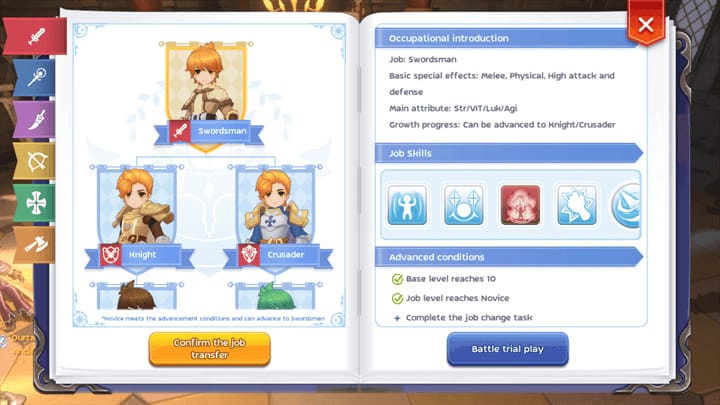
You need the correct player identifier first. Community sources say delivery usually requires a UID or Character ID, and some checkouts also ask for Server or SID.
This is where many failed orders start. In my experience reviewing recharge issues, the wallet gets blamed first, but the more common problem is wrong account data entered before payment.
Check these before you pay:
How to find the ID: log in to Ragnarok M: Classic, tap your Avatar at the top-left, then check the Character ID shown in the Avatar menu. One source specifies it appears above your Base/Job level.
Region also matters more than many guides admit. One source says PH-region accounts are preferred and offshore accounts may hit recharge failures. Another notes region mismatch can break payment, especially if the account setup doesn’t match a PH Google account. I would check this first if your payment page keeps failing for no obvious reason.
Why did my GCash payment fail or my Ragnarok M: Classic Zeny not arrive?
Most failed GCash top-ups come from four things: low balance, OTP/session issues, wrong account details, or region/server mismatch. Delivery delays happen too, but a successful wallet charge doesn’t always mean the order has fully cleared.
The fastest checks are these:
Insufficient wallet balance: obvious, but still common
Wallet verification limits: fully verified GCash is recommended
OTP timeout: if the code arrives late, the session may expire
App redirect failure: mobile browser handoff to GCash can break
Wrong UID/Character ID: support usually needs proof to fix it
Wrong server/SID: especially on checkouts that require server entry
Region mismatch: PH payment flow may reject offshore-linked setups
Maintenance or unstable connection: causes duplicate attempts and abandoned orders
Honestly, delayed delivery is frustrating when the money already left your wallet. But community reports say normal processing is usually under 10 minutes. If it goes beyond that, treat it as a support case, not a just wait longer case.
If you’re comparing PHP wallet routes, Ragnarok M: Classic Zeny Philippines wallet recharge pages are useful mainly because they keep the flow familiar: package, ID, wallet, receipt, order tracking. I personally prefer any checkout that makes the order ID easy to find after payment.
How to top up Ragnarok M: Classic Zeny with GCash step by step?
Use a checkout that supports GCash in PHP, then match the account fields exactly to your live game profile.
Open Ragnarok M: Classic and get your account details.
Tap the Avatar at the top-left and copy the Character ID. If the checkout asks for UID, Server, or SID, pull those from the live account too. Don’t rely on memory.Choose the Zeny package in PHP.
Common packages start at 1.8M Zeny and go up to bulk bundles. If you’re testing a new checkout, I’d start with a smaller package first.Enter the required fields carefully.
Some pages ask only for UID or Character ID. Others also require Server or SID. Exact requirements depend on the live checkout fields, so follow what the page asks, not what another guide showed last month.Select GCash as the payment method.
In PH checkout flows, you may also see Maya, QR Ph, BDO, or Security Bank. If GCash isn’t available at that moment, Maya is a common alternative on the same types of sites.
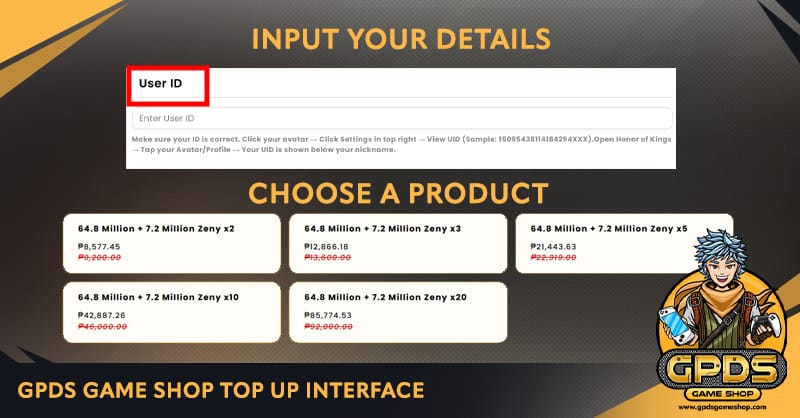
Approve the payment in GCash.
Keep your phone nearby for OTP. Make sure your GCash session is active before you start, because OTP timeout and redirect failure are common on mobile browsers.Wait for the order result page.
Don’t close the tab too early. Save the order ID or invoice number and your payment receipt before leaving the page.Check delivery status.
Community reports describe delivery as instant in many cases, with normal delay under 10 minutes. If no Zeny arrives after 10 minutes, contact support with the order ID.
What’s the best way to avoid duplicate charges or failed redirects?
Use a stable connection and don’t spam the pay button. In local-wallet checkouts, app handoff problems are common; reopening the order from a clean session is safer than retrying blindly.
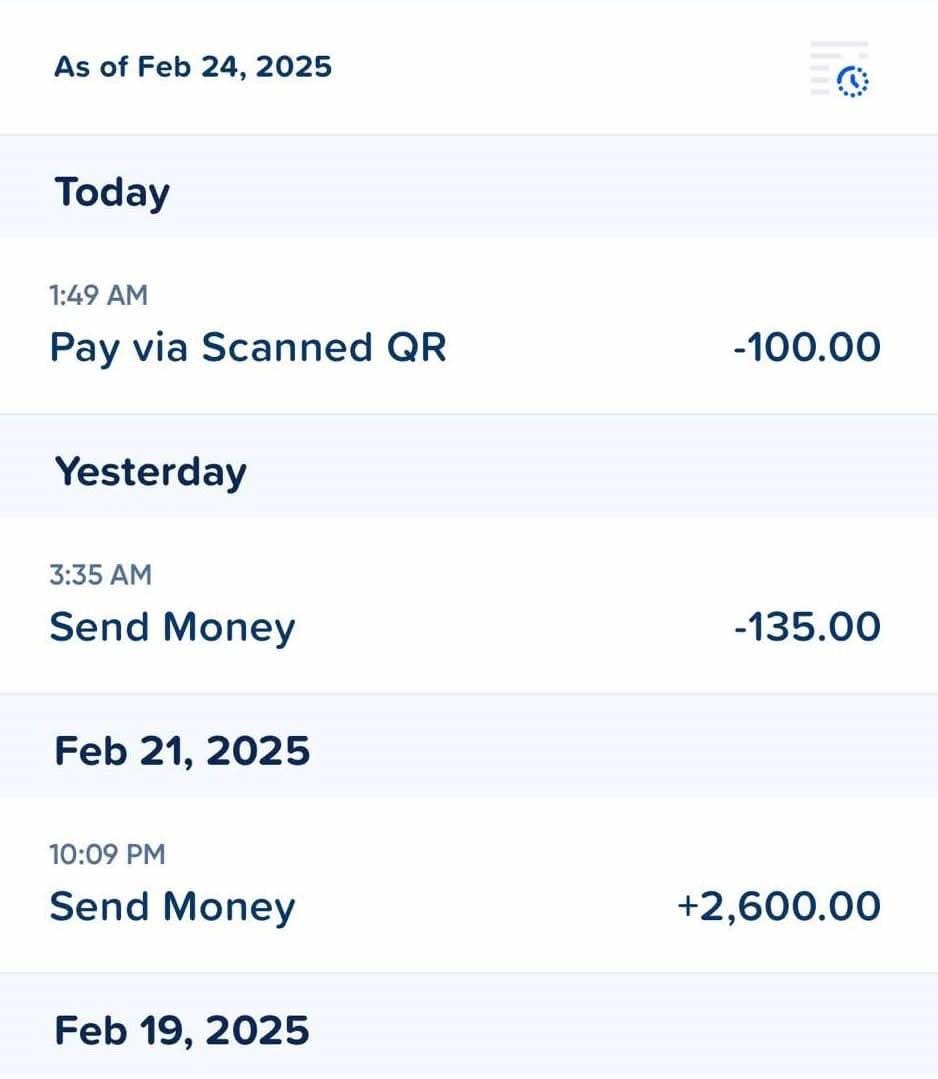
I would avoid switching between multiple browsers mid-payment. And if GCash opens but the merchant page doesn’t confirm after approval, check your wallet history first before creating a second order.
What should you do if your Ragnarok M: Classic Zeny top up is delayed or sent to the wrong ID?
Contact support with complete proof as soon as the delay passes 10 minutes. Community advice is consistent here: send the order or INV ID, payment receipt, submitted account details, and payment time in one message.
Use this checklist:
A common support route mentioned by users is Facebook page support. That’s not elegant, but it’s practical. When troubleshooting delayed delivery, the fastest path is usually one complete message with all proof attached, not a back-and-forth chat where details drip in one by one.
FAQ
Can I top up Ragnarok M: Classic Zeny with GCash in the Philippines?
Yes, if the checkout currently supports GCash. Community sources say PH buyers commonly use GCash through third-party top-up sites because direct in-game GCash support is often unavailable.
What details do I need before buying Ragnarok M: Classic Zeny?
Usually your UID or Character ID, and on some pages your Server or SID. Copy them from the live game account before paying.
Why did my GCash payment fail for Ragnarok M: Classic Zeny?
The usual causes are insufficient balance, OTP timeout, wallet verification limits, redirect failure, or account/server mismatch. Start with those checks before retrying payment.
How long does Ragnarok M: Classic Zeny take to arrive after payment?
Community reports say delivery is often instant, and delays under 10 minutes are still within the normal range. Beyond 10 minutes, contact support.
What should I do if my Ragnarok M: Classic Zeny top up is delayed?
Send your order ID or INV ID, payment receipt, exact submitted account details, and payment time to support. That gives them what they need to trace the order quickly.
Can I get a refund if I entered the wrong account ID?
Sources don’t confirm a universal refund rule. If you entered the wrong ID, contact support immediately with proof; resolution depends on the seller’s review and whether fulfillment already happened.
Is GCash safer than using a credit card for digital top ups?
For many PH users, GCash feels safer because it avoids sharing card details and uses OTP approval. But the bigger safety factor is still the checkout itself: verify the site, match your account details, and keep your receipt and order ID.
Ragnarok M: Classic Zeny GCash top up in the Philippines is straightforward when the checkout supports local wallets: prepare the right ID and server details, pay in PHP, save your receipt, and expect delivery within about 10 minutes. If you want the smoothest result, use a PHP-friendly wallet flow, double-check every account field before paying, and keep the order ID ready in case support is needed.