
To get a reimbursement-ready invoice for PUBG Mobile UC, use the payment route with the clearest official record, then save the invoice or receipt, order ID, payment timestamp, amount, currency, and the PUBG Mobile UID tied to the purchase. The mistake I see most often is treating a processor email or bank alert as billing proof. Finance teams usually want a document that shows the merchant, date, amount, currency, and payer identity clearly. If reimbursement matters, choose the checkout path before you pay, not after.
Verdict: which billing route is safest for reimbursement?
Google Play and Apple billing are usually the safest for document retrieval later; official web checkout can be better when you need a cleaner merchant-side order trail. What matters is not just whether payment succeeded, but whether you can later produce a usable record with enough billing detail.
From comparing checkout paths, this is the practical ranking:
Officially, Google Play lets you view receipts in the payments centre and download a VAT invoice or receipt for eligible digital purchases. Apple purchase history is also retrievable through your account history. Those two routes are simply easier to reconstruct if your original email is gone.
If you’re buying and already thinking about expense claims, this is where a clean PUBG Mobile UC purchase invoice discussion matters: the best invoice is often the one your finance team can verify without extra explanation.
What counts as reimbursement-ready proof?
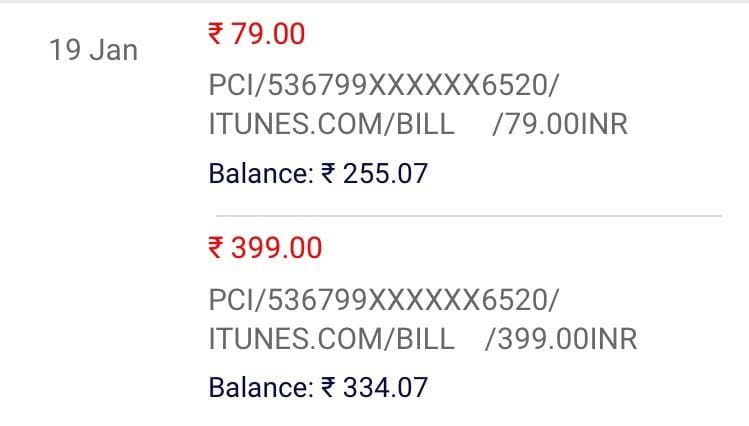
A reimbursement-ready document set is usually one primary billing record plus one account-reference record. One file rarely does everything.
Finance teams commonly want these fields:
Merchant or store name
Transaction date and timestamp
Amount and currency
Order ID or transaction ID
Payer identity or billing email
Product description
Tax/VAT/GST details if available
PUBG Mobile UID or account reference tied to the spend
Here’s the distinction many guides skip:
Receipt vs invoice vs payment confirmation
Receipt: confirms a purchase happened. Google Play and Apple records often work here.
Invoice: usually has more formal billing detail, sometimes including tax fields and legal seller information.
Payment confirmation: card alert, wallet push, processor email. Useful support evidence, but often not enough for reimbursement on its own.
In my experience reviewing recharge issues, finance rejects processor emails more often than users expect. A payment successful message proves money moved. It does not always prove what was purchased, for which account, or under which merchant entity.
Tax/VAT reality check
Don’t assume your PUBG Mobile UC invoice will show VAT or GST in the format your company wants. Officially, Google Play can provide VAT invoices for digital purchases, but consumer digital goods often don’t display tax detail the way B2B software invoices do. Some purchases may show no separate VAT/GST line at all. Check the store invoice first, then set expectations with finance before submitting.
And no, you usually can’t retrofit company billing details after the fact if the checkout never asked for them.
Warning signs before you pay
If reimbursement matters, treat the purchase like a software expense request, not a casual top-up. A few checks upfront prevent most billing disputes.
Red flags I would check first:
You don’t know which UID will receive the UC
The payment region doesn’t match your account/store region
You’re relying on a wallet or processor email as your only proof
You need a tax invoice, but the checkout shows no billing fields
Someone else is paying for your account without a written UID/order match
You’re using crypto or gift-card redemption and expecting a formal invoice later
Officially, PUBG Mobile direct top-ups require the Player ID/UID. Also officially, UC can’t be transferred between accounts. So if the wrong UID is entered, your reimbursement problem becomes a support problem fast.
A common edge case is cross-border mismatch: users commonly report payment-region mismatches causing order confusion or finance disputes because the card statement currency, store currency, and claimed amount don’t line up neatly.
Which buyer should choose what?
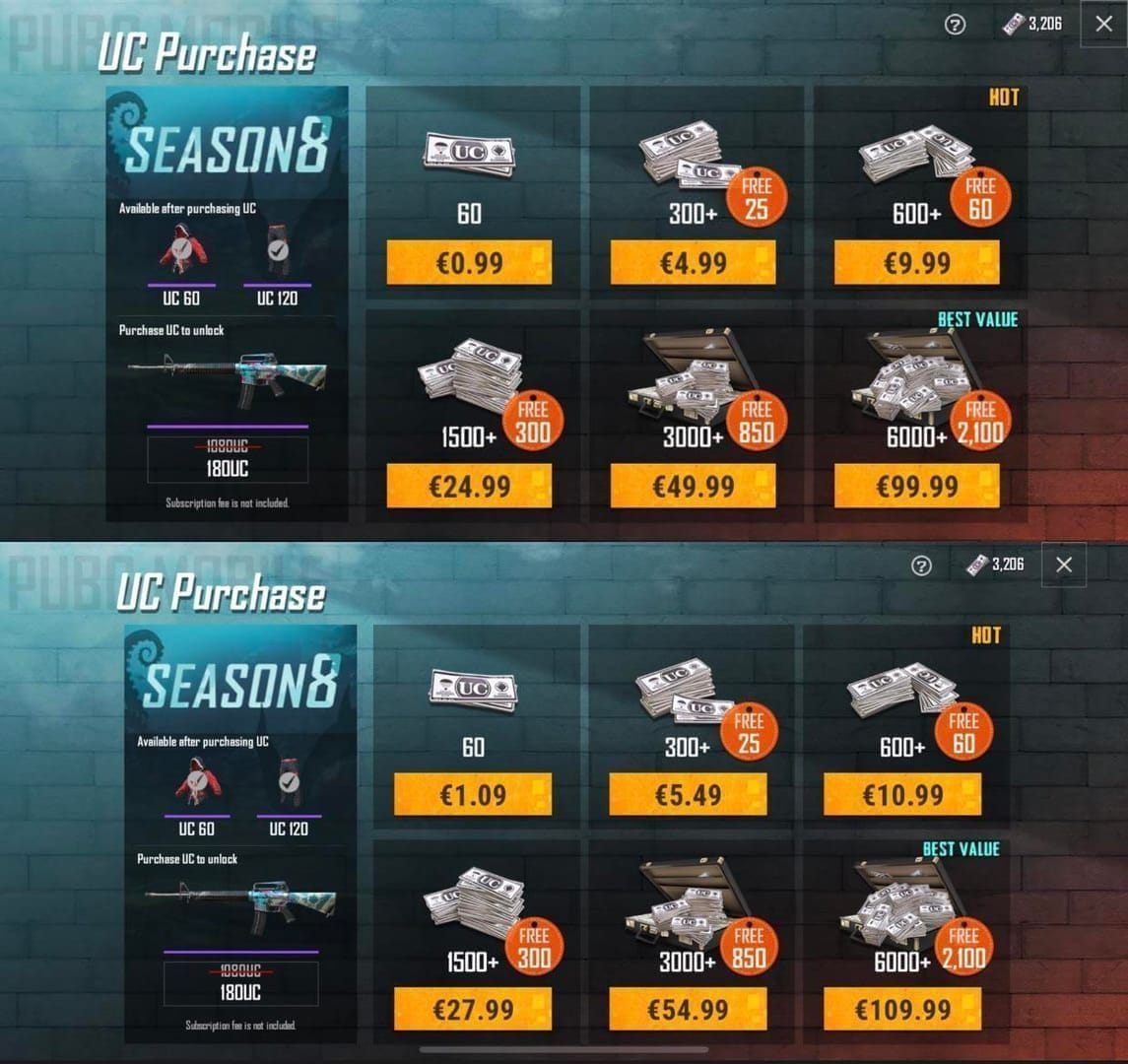
Choose the route based on proof needs, not convenience alone.
Personally, I would avoid crypto-funded or gift-card-style routes if the expense must survive an audit. Users commonly report weak documentation there, and official support prefers app-store or official merchant records.
What should you save immediately after payment?
Save everything before you close the success page. Honestly, delayed delivery is frustrating, but missing proof is worse because support and finance both slow down.
Minimum save set:
Screenshot of the success page
Order number or transaction ID
PUBG Mobile UID / Player ID
Pack purchased
Timestamp
Amount and currency
Store receipt or merchant email
Card/wallet confirmation as backup
Users commonly report faster resolution when they submit the Order ID and invoice screenshot for missing UC. Another widely observed fix: if you were charged but didn’t receive UC, include player ID plus a bank receipt screenshot.
If you need a clean archive, keep both:
the official store record, and
a separate note showing which UID received or was meant to receive the UC.
That second part matters more than people think. A valid receipt without UID linkage is where many reimbursement claims stall.
For future purchases, save the PUBG Mobile UC top-up receipt context alongside the UID and pack details, not as a standalone file with no account reference.
What if the invoice is missing, incomplete, or rejected?
Rebuild the proof chain from official records first, then escalate with matching identifiers.
If you bought through Google Play
Officially, you can:
open Google payments centre
go to Activity
select the order
get the receipt
download the VAT invoice or receipt where available
Google Play history can also be restored after a device change through the payments centre.
If you bought through Apple
Officially, you can review Apple purchase history through your account purchase history. If Apple Pay was used through App Store billing, that billing history is your main proof source.
If UC is delayed or missing
Users commonly report waiting up to 24 hours, then checking in-game currency history. Officially, support escalation should include:
UID
timestamp
amount
proof of payment
And if payment succeeded but no UC arrived, the strongest ticket usually matches three items exactly:
payer transaction record
merchant/store order number
PUBG Mobile UID
If there was a duplicate charge
Users commonly report better outcomes when they contact the store support with the transaction ID first. A bank statement helps, but it won’t replace the store-side order record.
If the proof is rejected by finance
This is usually a documentation-format issue, not fraud. Submit:
official receipt or invoice
order history screenshot
card or wallet statement
short note mapping the purchase to the PUBG Mobile UID and business purpose
That last note often saves the claim.
Can support change billing details after purchase?
Usually no. Support can help verify transactions, investigate missing UC, and review refund requests within the official window, but they generally can’t rewrite a consumer purchase into a custom company invoice after payment.
Officially, refund requests should be raised with transaction details within 7 days in supported cases. Also officially, UC top-ups are non-refundable after spend under the user agreement. So if the purchase has already been used, your room to fix billing mistakes gets much smaller.
Compact FAQ
Can I get an invoice for a PUBG Mobile UC top-up purchase?
Sometimes, but not always in the formal B2B sense. You can usually get a receipt or order record from Google Play, Apple, or the official web flow. Google Play officially offers VAT invoices or receipts for eligible purchases.
Will a Google Play or Apple receipt work for reimbursement?
Often yes. They’re usually more acceptable than processor emails because they show the store, date, amount, and order history. Add the UID reference if finance needs proof of business use.
Can I add company billing details after buying PUBG Mobile UC?
Usually no. If the checkout didn’t collect billing details, support typically won’t convert it into a custom tax invoice later.
Does a PUBG Mobile UC invoice show VAT or tax?
Sometimes. Google Play officially supports VAT invoices for digital purchases, but consumer digital purchases don’t always show tax in the format finance expects.
What should I do if order history is missing?
Start with the official store history, then escalate with proof. Use Google payments centre or Apple purchase history, then submit a support ticket with UID, timestamp, amount, and screenshots.
Final recommendation
If reimbursement matters, buy through the route with the strongest official paper trail, not the fastest checkout. For most people, that means Google Play or Apple billing first, and official web checkout when UID-linked proof matters more. Save the receipt, order ID, UID, and timestamp immediately. That small habit is what turns a messy digital purchase into an accounting-safe claim.