
If your Marvel Snap purchase is not showing, the fastest fix is to identify where you paid first: Apple ID, Google Play, or web checkout. The receipt tells you which support path applies, while the missing access usually points to one of four causes: pending payment, wrong account, region mismatch, or an entitlement delay. From reviewing digital purchase complaints, I’d check the billing route before anything else. A bank charge alone doesn’t confirm the item reached the right Marvel Snap account.
Quick field note: charged, but no gold or season pass
A common pattern is simple: the card was charged, the receipt exists, but Marvel Snap shows nothing. Official guidance and user reports line up on the first checks:
Confirm the charge actually completed
Check your bank or card app
Then check the store record too, not just the bank notification
Restart Marvel Snap
Officially recommended
Close all apps, switch to stable internet, reopen the game
Wait a short window
Apple purchases can take up to 1 hour to appear
Community reports often see season pass or battle pass issues clear after 10–20 minutes with restart or restore
Check whether you paid on the right account
Wrong login method is a frequent cause
Web shop purchases especially depend on matching the same in-game credentials
Honestly, delayed delivery is frustrating when the payment already left your account. But the early mistake I see most often is escalating too fast without confirming whether the order is still pending or simply attached to the wrong account.
Did you pay on Apple ID, Google Play, or the web shop?
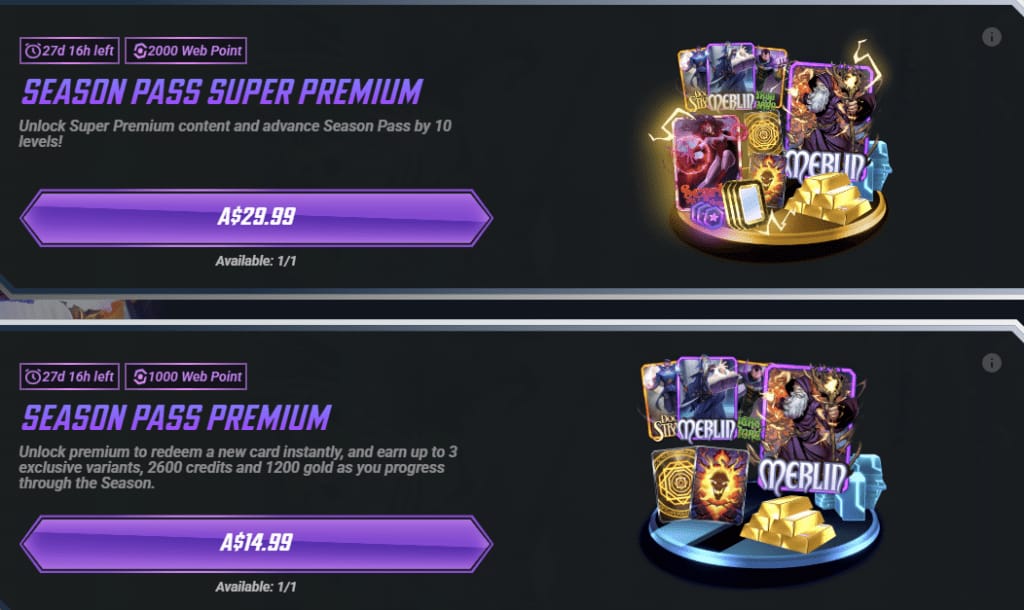
You can identify the route from the receipt or order history, and that decides the next move.
If you’re comparing routes before buying again, this explainer on Marvel Snap web shop purchase not showing is useful only if you first confirm the account and checkout path match.
Why is my Marvel Snap purchase not showing after payment?
The short answer: most missing purchases come from pending payment, account mismatch, or sync delay.
Case note: Apple receipt exists, season pass still locked
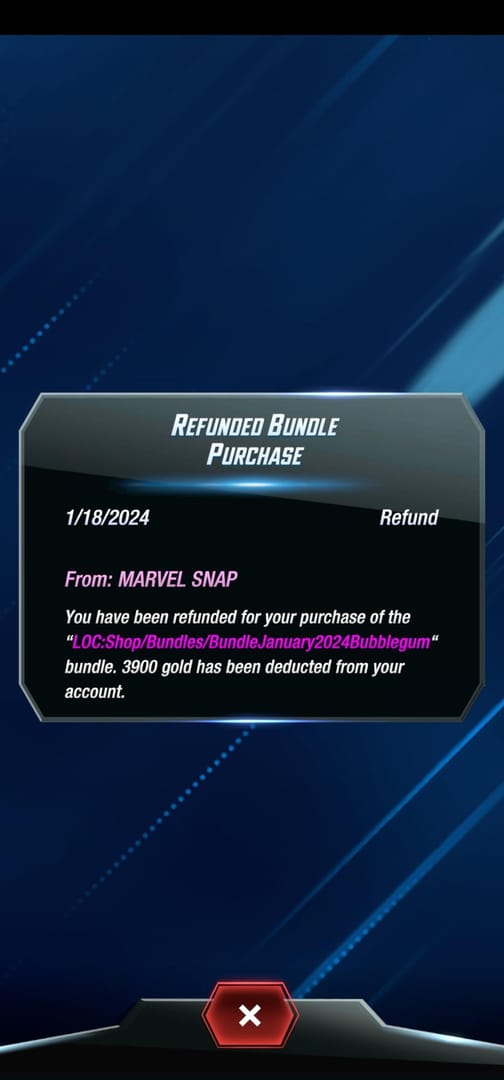
Officially, an Apple receipt proves the App Store accepted payment. It does not prove the entitlement reached Marvel Snap. That distinction matters. If you bought on iPhone and the season pass is still locked:
Open Marvel Snap settings
Use Restore Purchases
Make sure you’re signed in with the same Apple ID used for the purchase
Check that in-app purchases are enabled
Restart the game
Users commonly report that pass access appears after restore, especially after reinstalling or changing iPhones.
Case note: Google Play says paid, game shows nothing
Google Play issues often break because of multiple Google accounts on the device. Official guidance is clear: keep only the purchase account active for billing. Then:
Check Google Play order history
Verify the order is completed, not pending
Clear Play Store cache or restart the device if the transaction is stuck
Force stop and reopen Marvel Snap
A successful bank authorization can still sit in a pending state before Google marks it complete. That’s why I’d compare the bank app with Play order history, not trust the bank alert alone.
Case note: web checkout succeeded, mobile app didn’t update
Web purchases not appearing on mobile usually come down to login mismatch or app version. Official fixes:
Update Marvel Snap to the latest version
Sign out and back into the web shop with the same in-game credentials
Restart the app after about 10 minutes
The official web shop is at shop.marvelsnap.com for bundles, gold, and season pass purchases. If the app and web account aren’t aligned, the invoice can be valid while the item never lands where you expected.
Is restore purchase supposed to fix this?
Yes—but only in the right cases.
Restore works best when the purchase was made through the same platform account and the entitlement just didn’t sync after reinstall, device change, or app restart.
When restore usually helps
iPhone reinstall, same Apple ID
New iPhone, same Apple ID
Android factory reset, same Google account
Season pass or gold bought in-app but not showing yet
When restore usually does not help
You bought on Apple and now expect Android restore
You used the wrong Marvel Snap login/account
The payment is still pending
The web shop purchase was made under the wrong credentials
Community reports are consistent here: restore is platform-limited. Apple-to-Android isn’t a restore issue; it’s an account/platform mismatch issue.
If your problem started after changing phones, the safest sequence is:
Confirm your account is backed up to Apple or Google
Reinstall only after backup
Wait about 10 minutes for assets to load
Use restore purchases in settings
Recheck pass, gold, or bundle status
For iOS-specific missing items, this flow around Marvel Snap app store purchase restore matches what users usually need after reinstall or device switch.
Scenario: the price was in USD on web, but local currency in the app
Yes, that can matter. It doesn’t always cause the missing purchase, but it can explain confusion around receipts, taxes, and which support team owns the issue.
A local currency mismatch is rare but reported, especially when the web shop shows USD only. In that case, check:
Your App Store country or Google Play country
Browser locale and region
Whether the web shop is available in your region
Whether you used a VPN
Personally, I would avoid changing regions casually just to chase a lower displayed price. Different currency on web vs app doesn’t automatically mean fraud or duplicate billing. It usually means the app store and web checkout are using different regional billing rules.
And if the web shop is unavailable in your region, official guidance is to update the app and retry login before assuming the order failed.
What does the receipt actually prove, and who should you contact?
A receipt proves payment activity. It does not always prove delivery to the correct game account.
Evidence to prepare before opening a ticket
Official support works faster when you send:
Order ID
Receipt screenshot
Marvel Snap username/account details
Pack name: season pass, gold, bundle, credits
Time of purchase
Screenshots showing the item missing
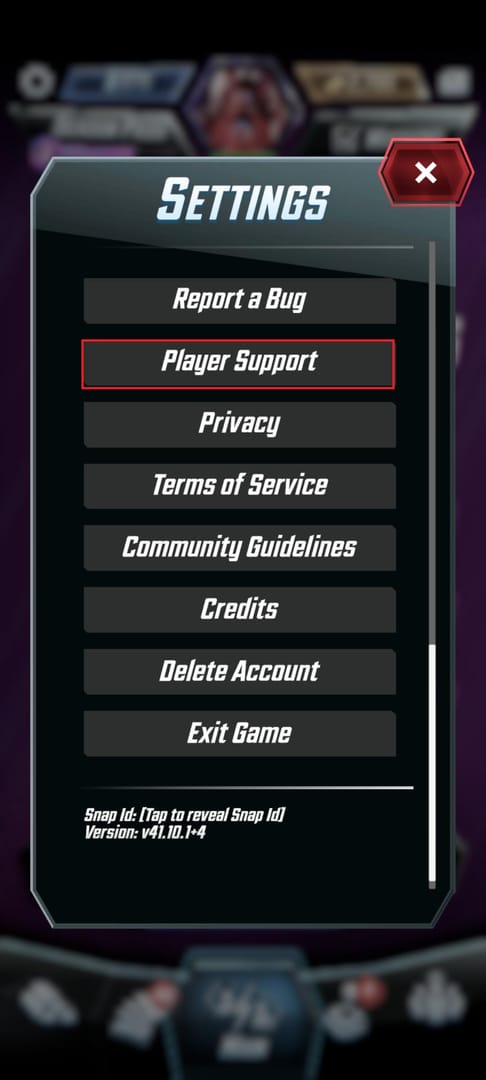
Use the in-app support route or the MARVEL SNAP Help Center at marvelsnap.helpshift.com.
Red flags that change the support path
Charged multiple times, no items: contact the app store first
Bank charged, no item after 1 hour: store support usually comes before game support
Pending Google Play transaction: clear cache/restart, then Google if still pending
Wrong account purchase: game support may review it, but receipts alone won’t fix a login mismatch
Before you try paying again: a compact checklist
I’d run this list before another purchase. It saves time and avoids duplicate charges.
Check the billing channel
Apple ID
Google Play
Web shop
Check the account identity
Same Apple ID?
Same Google account?
Same Marvel Snap login credentials on web and app?
Check the order state
Completed
Pending
Authorized only
Check the app state
Latest version installed
Stable internet
Restarted app
Restore attempted if in-app purchase
Check device/account changes
Reinstalled recently?
Switched phones?
Forgot to bind account before reinstall?
Check region signals
Store country
Web currency
VPN use
Web shop availability
If you decide to buy again after fixing the route, do it only after confirming the correct Marvel Snap account and checkout channel details. That matters more than the payment method, whether you use Apple Pay, Google Pay, card, or another supported rail.
Final call
For Marvel Snap purchases not showing, separate the problem into three buckets: billing channel, account match, and order state. Apple and Google give stronger payment proof, but web checkout can be easier to inspect if the login is correct. My recommendation: don’t start with reinstall or refund requests. Start with the receipt route, restart, restore where valid, then escalate with order ID and screenshots to the team that actually owns the transaction.