
If your Haikyu!! Fly High Top Up Payment Failed message appeared, first identify the state of the order: failed, pending, or charged but not delivered. That distinction matters more than the error popup itself. In my experience reviewing recharge issues, the fastest fixes come when you stop retrying blindly and confirm the payment status, account ID, server, region, and order evidence first.
If you're dealing with Haikyu!! Fly High top up payment failed or a delayed delivery, start with this triage: check your bank/app store status, confirm the exact game account and server, restart the game, check in-game mail, and look for maintenance notices on the official help center, Twitter, or Facebook. If those checks fail, escalate with your Game ID, order ID, screenshots, and payment proof.
Why did my Haikyu!! Fly High top up payment fail?
The most common causes are payment method issues, authentication failure, network interruption, maintenance, or account-region mismatch.
According to the official help center, the first checks are simple but critical:
Confirm your credit card or debit card is valid and has enough balance
Verify your network is stable
Check whether the game or payment system is under maintenance
Restart the game or device
From comparing failed checkout paths, I would check the bank side first. A lot of users focus on the game error, but the real break often happens during card verification or app store billing approval. A successful bank charge also doesn't always mean the order fully cleared verification.
What failure patterns matter most?
Community reports also point to region mismatch as a recurring cause. Widely observed shorthand: English language usually maps to NA server, while SEA is tied to Thai, Malay, or Indonesian language setups. Users commonly report global top-ups failing or showing region errors when the ID/server pairing is wrong.
And yes, maintenance can block payment flow. Official support confirms temporary maintenance can leave top-ups stuck, including Google Play payment disruptions. During maintenance, repeated retries are a bad idea because they can trigger duplicate screening.
Why was I charged but my Haikyu!! Fly High top up not received?
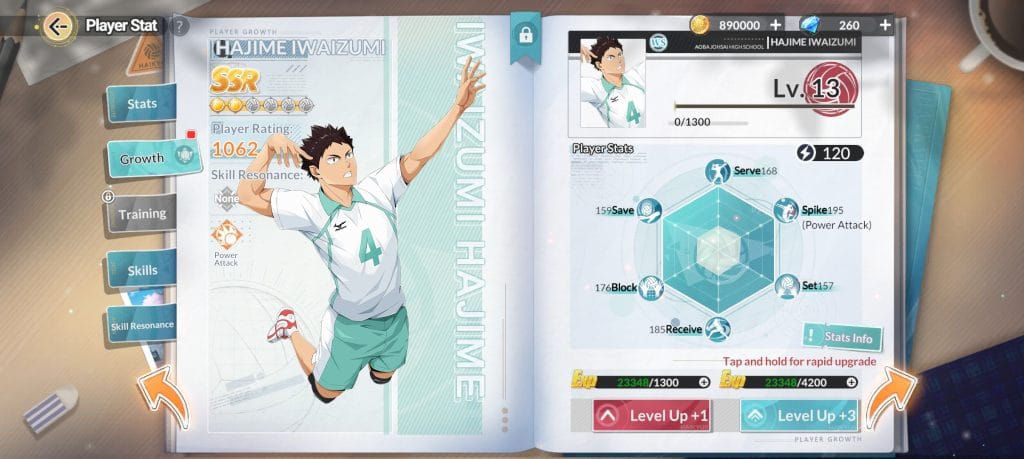
If you were charged but got nothing, the order is usually either still processing or sent to the wrong account/server.
Official support says to do these checks before assuming the order is lost:
Restart the game
Check your connection
Verify the correct account, server, and region
Check in-game mail
Log out and back in
Honestly, delayed delivery is frustrating when the payment already left your account. But this is where people make it worse by buying again too fast. Community cases show some deluxe packs or top-ups appear after 1–2 days. That's not ideal, but it means a missing delivery is not always a failed order.
How do you tell delay from real failure?
This is also the point where Haikyu!! Fly High top up not received becomes a support case, not a retry case. In digital top-up troubleshooting, the details that matter are order ID, timestamp, amount, account identifier, and server—not just a screenshot saying "payment failed."
Why is wrong account or wrong server top-up so hard to fix?
Because wrong-account and wrong-server cases are often not transferable, and refund options usually depend on the payment platform.
Official guidance is clear on one point: if you used a Guest account and topped up the wrong one, recover and link the correct account first to Facebook, Google, or Apple before requesting a refund. Community reports are even more blunt: wrong-account top-ups usually can't be transferred, and users often have to rely on the platform refund route instead.
Personally, I would avoid any checkout that doesn't make account verification obvious. Wrong-server mistakes are among the hardest cases to reverse.
What should you verify before blaming the payment system?
Game ID / Player ID: found under your player profile in-game
Server
Region
Item name and price
Payment timestamp
Order ID / transaction ID
Whether the account is Guest, linked social login, or mobile login
If login problems start after purchase, official support recommends:
Update the game
Clear cache on Android: Settings > Apps > Haikyu!! Fly High > Storage > Clear Cache
Switch between Wi‑Fi and mobile data
How do I diagnose a Haikyu!! Fly High payment failed or stuck order step by step?

Use this order. It prevents duplicate charges and gives support what they need.
Confirm the payment state
Failed: no charge, no receipt, instant error
Pending: bank/app store shows temporary hold or review
Paid but not delivered: completed receipt exists, items missing
Check the exact account details
Open your in-game profile and confirm your Game ID
Verify server and region
If you used the wrong language/server combination, stop here and don't retry
Check official service status
Review the official help center
Check @EN_HQflyhigh
Check HQflyhighOfficial on Facebook
Maintenance is a confirmed cause of stuck processing.
Do the official quick fixes
Restart the game
Restart the device
Switch Wi‑Fi/mobile data
Log out and back in
Check in-game mail
On Android, clear cache if login or delivery looks stuck
Wait the right amount of time
If the payment is only pending, wait before retrying
If you have a completed receipt but no delivery, give it time after restart and mail checks
Community reports suggest some delayed cases resolve within 1–2 days
Retry only if the first order clearly failed
Safe to retry: no charge, no receipt, no pending status
Don't retry: pending charge, maintenance window, or unclear order state
Escalate with full evidence Official support asks for:
Game ID
Item name and price
Order ID / transaction ID
Screenshots
Payment proof
If you retry your purchase later, double-check account details first and use VGTopup’s checkout flow carefully to reduce avoidable payment and delivery errors.
How do I request support or a refund for a failed, delayed, or wrong-account top up?

Go to the official Customer Service Center once restart, network, and account checks fail.
What should your ticket include?
Send everything in one message:
What refund outcome is realistic?
App store purchases: refunds are handled by Apple or Google, not guaranteed
Wrong account / wrong server: recovery is difficult; transfer is commonly not available
Pending charges: often resolve as a completion or reversal; don't file duplicate claims too early
Completed but undelivered orders: support can investigate faster if your account/server details are correct
I would not spam retries, chargebacks, and tickets at the same time. That usually slows resolution and makes the payment trail messier.
FAQ
Why did my Haikyu!! Fly High top up payment fail?
Usually because the card or app store billing method failed validation, the network dropped, maintenance interrupted processing, or the account/server details didn't match. Official support recommends checking payment method validity, connection, maintenance status, and restarting first.
What should I do if money was deducted but I did not receive the Haikyu!! Fly High top up?
Restart the game, check in-game mail, log out and back in, and verify the correct account, server, and region. If you have a receipt and still no delivery after those checks, contact the official support center with your Game ID, order ID, and payment proof.
How long should I wait for a delayed Haikyu!! Fly High top up?
Wait long enough to rule out normal processing delay before retrying. Community reports show some orders appear within 1–2 days, especially during intermittent payment issues or maintenance.
Can I get a refund if my Haikyu!! Fly High order is stuck or failed?
Sometimes, but it depends on where the payment was processed. Officially, Apple and Google handle app store refunds, and approval is not guaranteed.
What happens if I entered the wrong Haikyu!! Fly High account ID?
That is one of the hardest cases to reverse. Official guidance says to recover and link the correct Guest account before requesting a refund, while community reports say wrong-account top-ups usually can't be transferred.
Who should I contact for Haikyu!! Fly High billing or top up support?
Use the official Haikyu!! Fly High Customer Service Center at the Zendesk help site. For maintenance-related delays, also check the official Twitter and Facebook announcement channels.
Haikyu!! Fly High payment problems are fixable, but only if you identify the right failure state first: declined, pending, or paid-but-undelivered. Check account ID, server, region, receipt status, and maintenance before retrying. If the order still doesn't resolve, send one clean support ticket with full evidence. That's the fastest path to either delivery or a refund decision.