
If your Chamet Diamond Top Up Not Received After Payment issue happened right after checkout, don't pay again yet. Most cases are delays, app sync problems, or the wrong Chamet account ID—not permanent loss. Community and case data point to 95% resolving within 5–30 minutes, and restart + cache clear fixes the majority.
From reviewing recharge issues, I would check three things first: payment status, Chamet User ID, and whether the app actually refreshed. A bank charge alone does not always mean the order fully cleared. If you're dealing with Chamet Diamond top up not received, the fastest path is: verify payment completion, refresh the app safely, then contact the correct support team with full proof.
Why was my Chamet Diamond top up not received after payment?
Usually because the payment is delayed, the app hasn't synced, or the top-up went to the wrong account. Missing diamonds are more often "not showing yet" than truly failed.
The biggest causes from the available case data:
A normal delivery is usually 1–3 minutes after payment. Cross-border transactions often take 10–15 minutes. Weekend evenings and other peak periods can push that to 15–60 minutes. Honestly, that's frustrating when the money already left your account, but it's still within the normal delay window.
One mistake I see often: users treat "charged" and "completed" as the same thing. They aren't.
Payment completed vs pending: why does that matter?
It matters because support ownership and next steps change completely. If the payment is still pending or only authorized, Chamet may have nothing to credit yet.
Use this quick check:
For PayPal, confirm whether the payment was fully authorized and completed. If it failed, users commonly report the amount returns through the bank flow rather than becoming a valid top-up.
Why do Chamet Diamond orders get delayed on Google Play, App Store, or card payments?

Because store billing, fraud checks, region rules, and app sync all sit between your payment and the final credit. The payment method changes who controls the delay.
For in-app purchases, app-store sync delay is one of the most common causes. Users often pay successfully in Google Play or the Apple App Store, but the Chamet app doesn't refresh the balance until restart or cache clear. Restore purchases can also help for store-based orders.
For cards and wallets, the weak points are different:
Region mismatch: account region and payment country don't match
Unsupported country restrictions: some countries have limited in-app purchase support
Cross-border verification: extra checks add 10–15 minutes or more
High-value or unusual orders: rare fraud review delay
India is a good example of the region problem: if your Google Play country doesn't match your current location, the recharge can stall even when the payment attempt looks successful.
And here's the edge case many guides miss: duplicate logins. If the same Chamet account is active across sessions, the wallet display can lag. Clearing cache and logging back into your own account often fixes it. Account sharing is not a safe workaround and can risk bans.
How can I fix a Chamet Diamond top up that was paid but not credited?
Start with payment verification, then refresh the app, then escalate with evidence. In my experience, users get faster results when they send exact order details in the first message instead of screenshots alone.
Wait 5–30 minutes before retrying
Most issues resolve in this window.
If it's cross-border or peak traffic, wait up to 60 minutes.
Don't place a second order yet. Duplicate purchases create a bigger mess.
Check whether the payment is pending or completed
Open your bank app, Google Pay, PayPal, Google Play, or App Store purchase history.
Look for status wording like pending, authorized, completed, or failed.
If it's only pending, Chamet may not be able to credit it yet.
Verify the correct Chamet User ID
Chamet User ID is commonly shown as an 8–12 digit number in Me → Wallet or Profile > My Profile.
Copy-paste it from the app if possible.
Wrong ID is the most expensive mistake because users commonly report those diamonds are not recoverable once sent elsewhere.
Refresh the app safely
Log out of Chamet.
Force close the app.
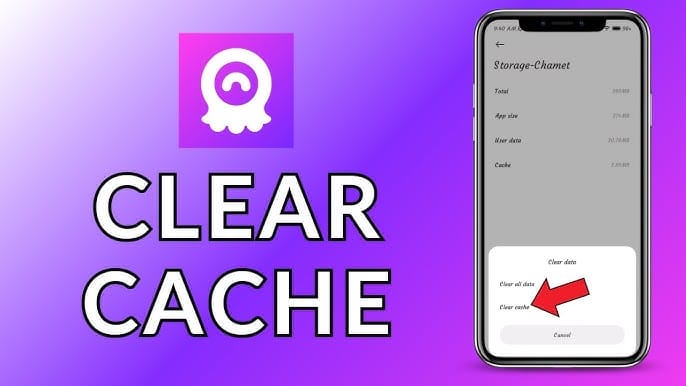
On Android: Settings > Apps > Chamet > Storage > Clear Cache.
Wait 10–15 seconds.
Relaunch, log back in, and check the balance.
Also check recharge history in the app.
Check store purchase history
For Google Play or Apple purchases, confirm the transaction exists in purchase history.
If it's an in-app purchase, try restoring purchases if that option appears.
Collect proof before contacting support Gather all of this:
Order ID
Payment receipt
Chamet UID / User ID
Package amount
Timestamp
Payment channel
Screenshots of payment confirmation and missing balance
If you need a safer retry after the issue is resolved, Chamet Diamond payment successful but not credited cases are exactly why I prefer checkout flows with clearer order tracking over random DM sellers.
How do I contact support for a missing Chamet Diamond order?
Contact the support team that owns the payment channel. That's the decision point most users get wrong.
Who should you contact first: Chamet, Google Play, or Apple?
If the purchase was made inside the app through Google Play or Apple, start with the store when the transaction itself looks abnormal, and with Chamet when the store shows completed but diamonds are missing.
Use this routing table:
For Chamet support, the reported in-app path is Profile > Settings > Help Center > Payment Issues > Diamonds Not Credited.

What details should you send to support?
Send a complete case in one message. That reduces back-and-forth.
Template:
Chamet User ID
Order ID / transaction ID
Package purchased
Payment channel used
Exact payment time and timezone
Screenshot of receipt
Screenshot showing current diamond balance
Note whether you already restarted, cleared cache, and checked purchase history
I would avoid sending only cropped screenshots. Support needs matching identifiers, not just proof that money moved.
FAQ
Why is my Chamet Diamond top up not received after payment?
Most often it's a delay, sync/cache issue, wrong User ID, or payment still pending. Permanent loss is less common than users think.
How long does Chamet Diamond delivery usually take?
Usually 1–3 minutes. Most delayed cases resolve within 5–30 minutes, while high traffic or cross-border payments can take 15–60 minutes.
What should I do if Chamet charged me but my diamonds did not arrive?
First check whether the charge is pending, authorized, or completed. Then restart the app, clear cache, verify your User ID, and contact the correct support team with order proof.
Can I get a refund for a missing Chamet Diamond order?
Refunds for virtual goods are limited, and used diamonds are officially non-refundable. If the payment never fully captured, it may return automatically; avoid chargebacks unless support clearly fails, because users commonly report account bans after chargebacks.
Where can I find my Chamet order ID or payment receipt?
Check Google Play or Apple purchase history for in-app orders, or your payment provider receipt for direct checkout. Your Chamet User ID is commonly found in Me → Wallet or Profile > My Profile.
Can a wrong Chamet account ID cause missing diamonds?
Yes. And this is one of the most serious cases. Users commonly report that diamonds sent to the wrong account usually can't be recovered.
What should you avoid while fixing a missing Chamet Diamond order?
Avoid panic retries, chargebacks, and unofficial "cheap" sellers. Those three choices create the worst outcomes.
Red flags:
Unrealistically cheap prices
DM-only payments
No HTTPS checkout
Fake transaction IDs
Offers to "fix" by using another person's account
Unofficial sellers carry high risk of non-delivery, fake credits, black diamonds, and permanent account locks. Personally, I would rather pay a normal rate through a traceable channel than save a little and lose the account.
If your order is missing, the smart sequence is simple: verify status, refresh safely, gather proof, then escalate through the right support owner.
Missing Chamet diamonds after payment are usually delayed or not yet synced—not gone forever. Wait up to 30 minutes in normal cases, up to 60 minutes for cross-border or peak-time orders, then check payment status, confirm your 8–12 digit User ID, and refresh the app. If the balance still doesn't update, contact Chamet or the app store with full order details. And don't buy again until the first order is clearly resolved.